


Before
After
Monitor Photo
Rainbow moire across a desktop monitor photo, removed while keeping text and UI readable.
Instantly remove rainbow patterns, wavy lines, and grid interference from photos of computer monitors, TVs, laptops, and phone displays. Free AI screen moire removal in your browser — results in seconds.
Drop your photo here or click to upload
JPG, PNG, WebP · Max 30 MB per image
HEIC/HEIF, TIFF, BMP, GIF & AVIF are converted automatically · Max 60 MB before conversion, 30 MB after.
Or try with a sample
Drag the slider to compare original screen photos with the AI-cleaned results. Text stays sharp while the rainbow interference disappears.
Rainbow moire across a desktop monitor photo, removed while keeping text and UI readable.
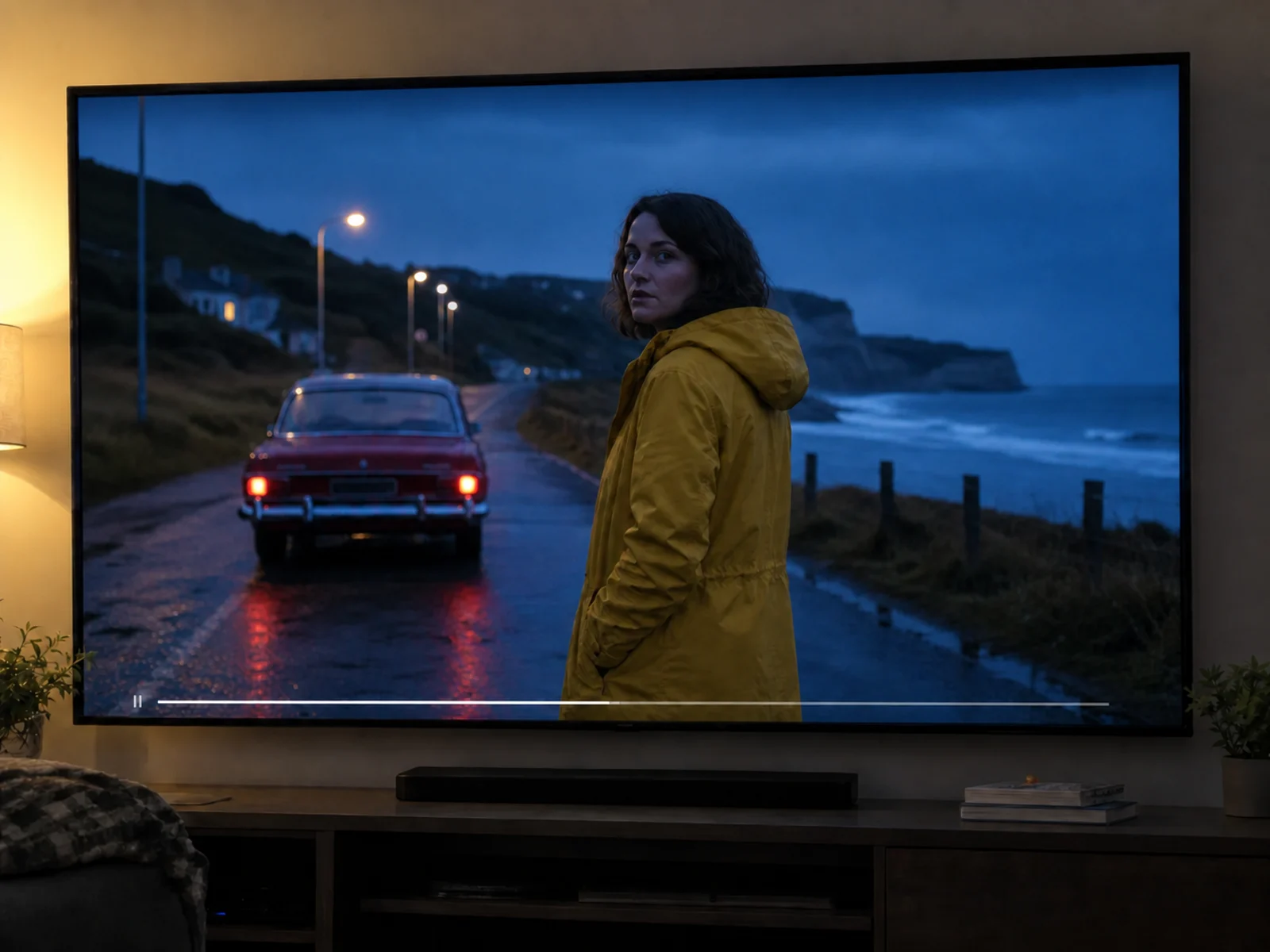
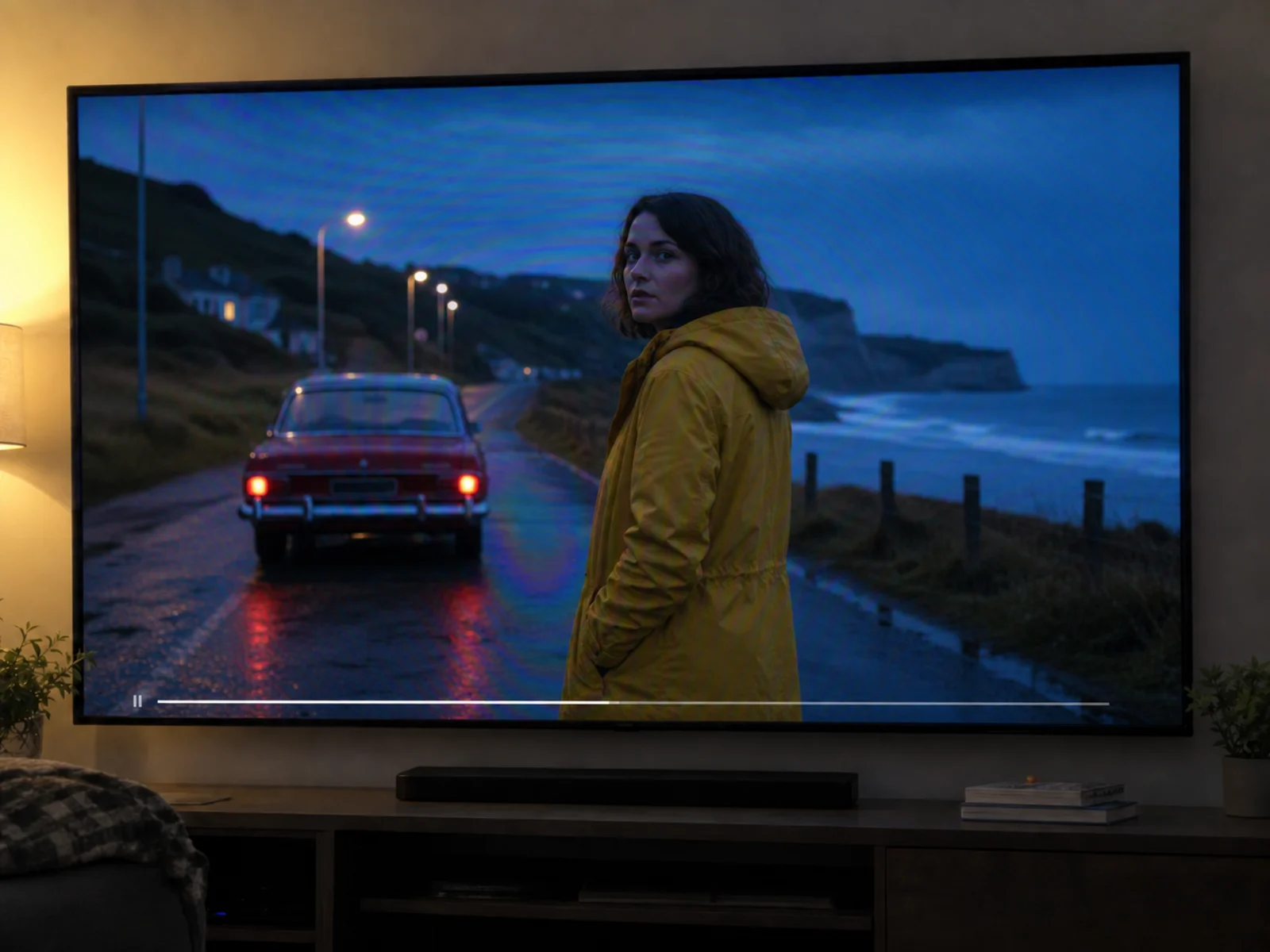
Wavy color bands on a photographed TV screen, cleaned in one pass.
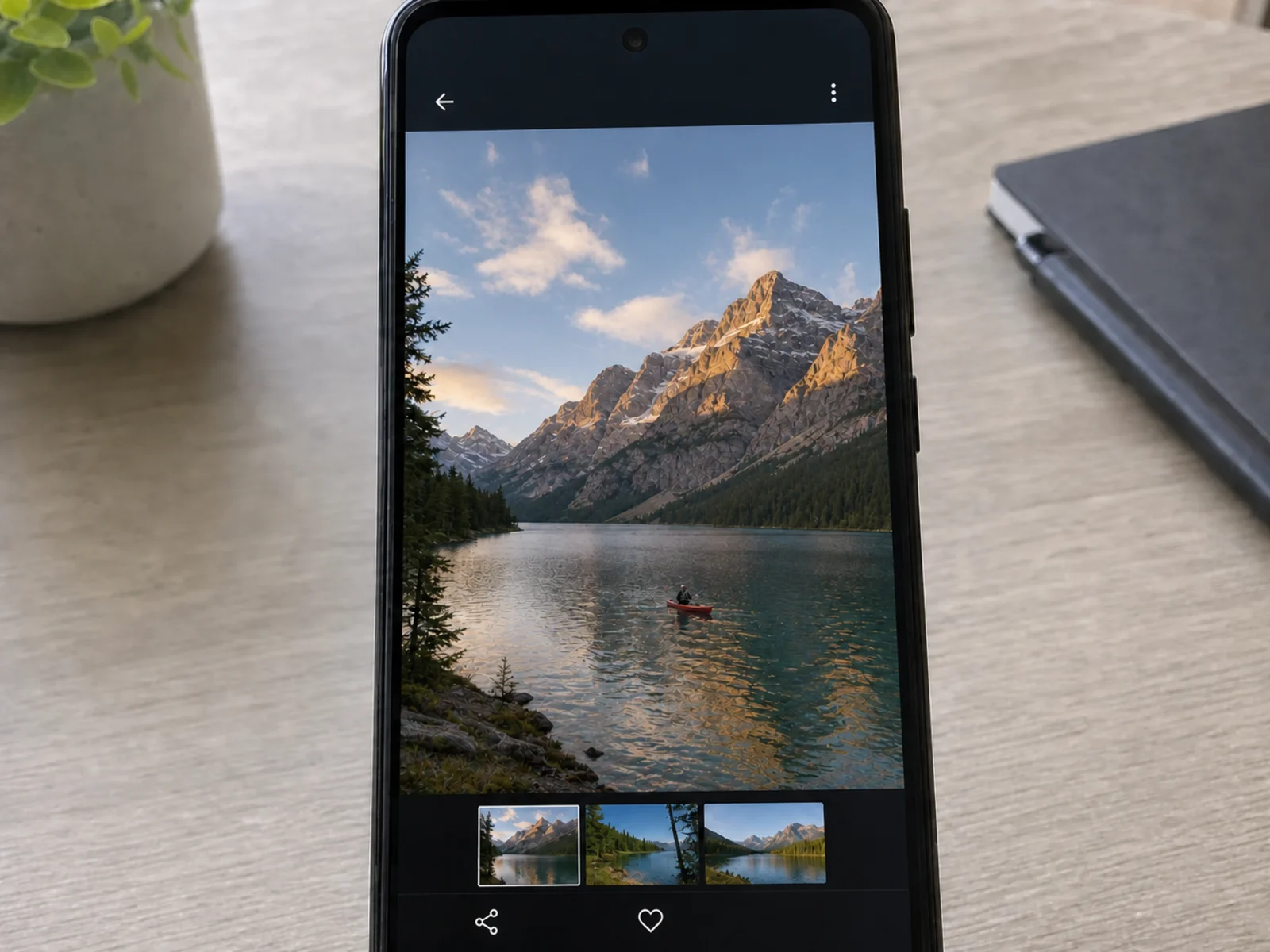
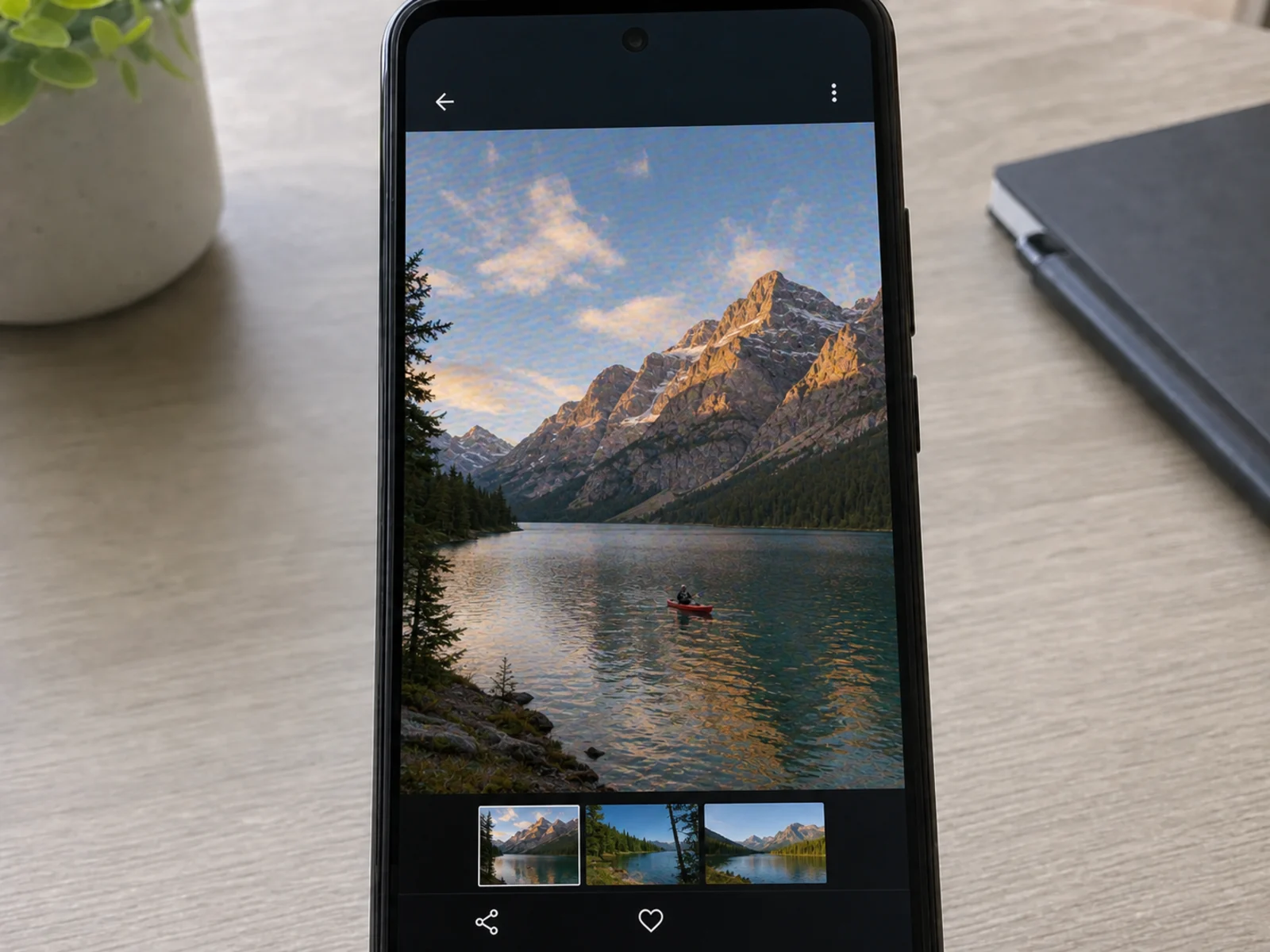
Pixel-grid shimmer from photographing a smartphone display, fully removed.
Why it happens
Moire appears when two fine grids overlap: the pixel grid of the display and the sensor grid of your camera. These four factors decide how strong the rainbow interference gets when you photograph a screen.
Every display is a grid of pixels and every camera sensor is a grid of photosites. When the two grids overlap at slightly different scales or angles, they interfere and produce wavy moire stripes.
Your camera reconstructs color through a Bayer filter. When fine screen pixels land on that filter at the wrong scale, the processor invents false colors — the classic rainbow bands.
A perfectly focused shot resolves the individual screen pixels, which maximizes interference. That is why screen moire often looks worse on high-resolution cameras.
Anti-glare coatings, curved panels, and subpixel layouts like RGB stripe or PenTile bend the pattern differently across the frame, producing multi-colored waves.
Whatever display you photographed — a coworker's error message, a live match on TV, a slide on a meeting-room projector — the cleanup keeps the screen content sharp and readable.
Rainbow banding gone from desktop and dual-monitor shots.
Live broadcasts and movie frames, interference-free.
Clean captures for docs, tutorials, and reviews.
Wavy stripes from iPhone and Android shots, gone — on-screen text stays legible.
Shimmer off meeting-room and classroom slides.
Car dashboards, ATMs, and smartwatches, sharp again.
Advanced AI technology specifically optimized for screen photo enhancement.
Our neural network is specially trained on thousands of screen photos to detect and remove pixel-grid interference patterns.
Removes moire while keeping the actual screen content sharp and readable — text, icons, and UI details survive the cleanup.
Works after the fact — rescue shots of moments that are gone: an error dialog someone already closed, a live broadcast, a screen you no longer have access to.
Get your clean screen photos in seconds with our optimized pipeline — no queue, no rendering wait.
Supports up to 4K resolution output for professional quality results, ready for articles and product pages.
Works directly in your browser — no downloads, plugins, or Photoshop skills required.
Upload and process multiple screen photos simultaneously, perfect for product reviews, tutorials, and multi-screen setups.
Your images are processed securely and automatically deleted after processing. We never store or share your data.
Simple 3-step process: upload, process, download. No expertise required.
Manual demoireing can help with mild cases, but pixel-grid interference lives in several frequencies and color channels at once — that is where a trained AI wins.
| Method | Best for | Typical effort |
|---|---|---|
| AI screen moire remover (this tool)Fastest | Rainbow bands and wavy lines in photos of monitors, TVs, laptops, and phone screens. | Upload the photo, let the AI detect the interference, preview, download — about 10-20 seconds. |
| Photoshop Camera Raw moire reduction | Mild color moire on small areas that you can brush over by hand. | Requires masking the affected area and tuning the Moire Reduction slider; strong patterns leave gray smudges. |
| Lightroom moire brush | Slight color shimmer in fabric or architecture shots. | Brush-based workflow; struggles with full-screen pixel-grid moire and often desaturates fine text. |
| Retake the photo | Situations where you can still reshoot with a different distance or angle. | Free, but trial-and-error — and impossible when the moment is gone or the screen is not yours. |
Quick guide to removing moire patterns from your screen photos.
Choose 1K for web sharing, 2K for standard quality, or 4K for professional use.
Drag and drop or click to upload the photo you took of a screen. Supports JPG, PNG, and WebP formats.
Our AI detects pixel-grid interference patterns and removes rainbow moire while preserving screen content.
Compare before and after results, then download your clean, moire-free screen photo.
Shooting tips
You can reduce moire at capture time, though rarely eliminate it completely. Combine these shooting habits with AI cleanup for the cleanest possible screen photo.
Distance changes the scale relationship between screen pixels and sensor pixels. Moving back two to three times farther and zooming in often shifts the pattern out of the interference zone.
Tilting 5-15 degrees off perpendicular breaks the grid alignment. Keep the tilt subtle so the screen does not distort into a trapezoid.
Slightly soft focus stops the sensor from resolving the pixel grid. Text stays readable while the interference drops sharply.
Dark rolling bands come from shutter speed, not moire. Set the shutter to 1/60s or slower — or match the display's refresh rate — to avoid banding on top of moire.
Common questions about removing moire from screen photos.
When you photograph a screen, the pixel grid of the display interferes with your camera's sensor grid, creating moire patterns that appear as rainbow colors or wavy lines. This is called pixel-grid interference, and it gets stronger the more precisely your camera resolves the individual pixels.
You can reduce moire by changing your camera angle slightly, moving farther from the screen and zooming in, or defocusing a touch. These tricks help but rarely remove the pattern completely — our AI tool cleans up whatever interference remains in the shot.
True screenshots captured by the device itself contain no moire, because no camera was involved. If you see grid artifacts in a screenshot, it is usually compression or scaling. This tool is built for photos of screens taken with a camera — that is where pixel-grid moire lives.
Yes! Our AI is trained on photos of computer monitors, TVs, smartphones, tablets, laptops, projector screens, and more. It works with LCD, LED, OLED, and even older CRT displays.
Dark rolling bands come from a mismatch between your shutter speed and the screen's refresh rate, while rainbow moire comes from overlapping pixel grids. They often appear together in the same photo, and our AI targets the moire interference while smoothing the visible banding. Bright glare spots from room lighting are a third kind of artifact — those are handled by our glare remover for photos.
Most screen photos are processed within 10-20 seconds. The exact time depends on image size and the selected output resolution.
Absolutely. Our AI is designed to remove moire interference while preserving the actual screen content, including text, images, and graphics. That makes it safe for bug reports, documentation, and article screenshots.
Shooting at a slight angle (5-15 degrees off-perpendicular) can reduce moire, but it also distorts the screen shape. Our AI tool removes moire from photos taken at any angle, so you can shoot straight-on for the best composition and fix the interference afterwards.
Yes! Our AI handles moire from all monitor shapes including curved, ultrawide, and multi-monitor setups. Curvature actually creates varying moire patterns across the frame, which our AI is trained to handle.
We support JPG, PNG, and WebP formats. Maximum upload size is 20MB. For best results, upload the original uncompressed photo rather than a re-saved or compressed version.
Just upload the photo to the tool above. The AI automatically detects the wavy stripes and rainbow lines, removes them in seconds, and keeps the on-screen text sharp. It works with shots from any iPhone or Android model — no app to install, everything runs in your browser.
Built-in AI cleanup features are usually limited to the newest phone models and OS versions. This tool runs on the web, so there is no device requirement: it is free to use, accepts photos from any phone or from your computer, and delivers high-resolution output up to 4K.
Remove moire patterns and get crystal-clear screen photos in seconds — free to start.