Halftone Generator

Halftone generator for turning photographs and drawings into adjustable ink dots. Choose a local image, tune the screen, and export free without an account. Your image stays on your device.

Free · No signup · Processed on your device
The same illustration rebuilt with CMYK halftone dots
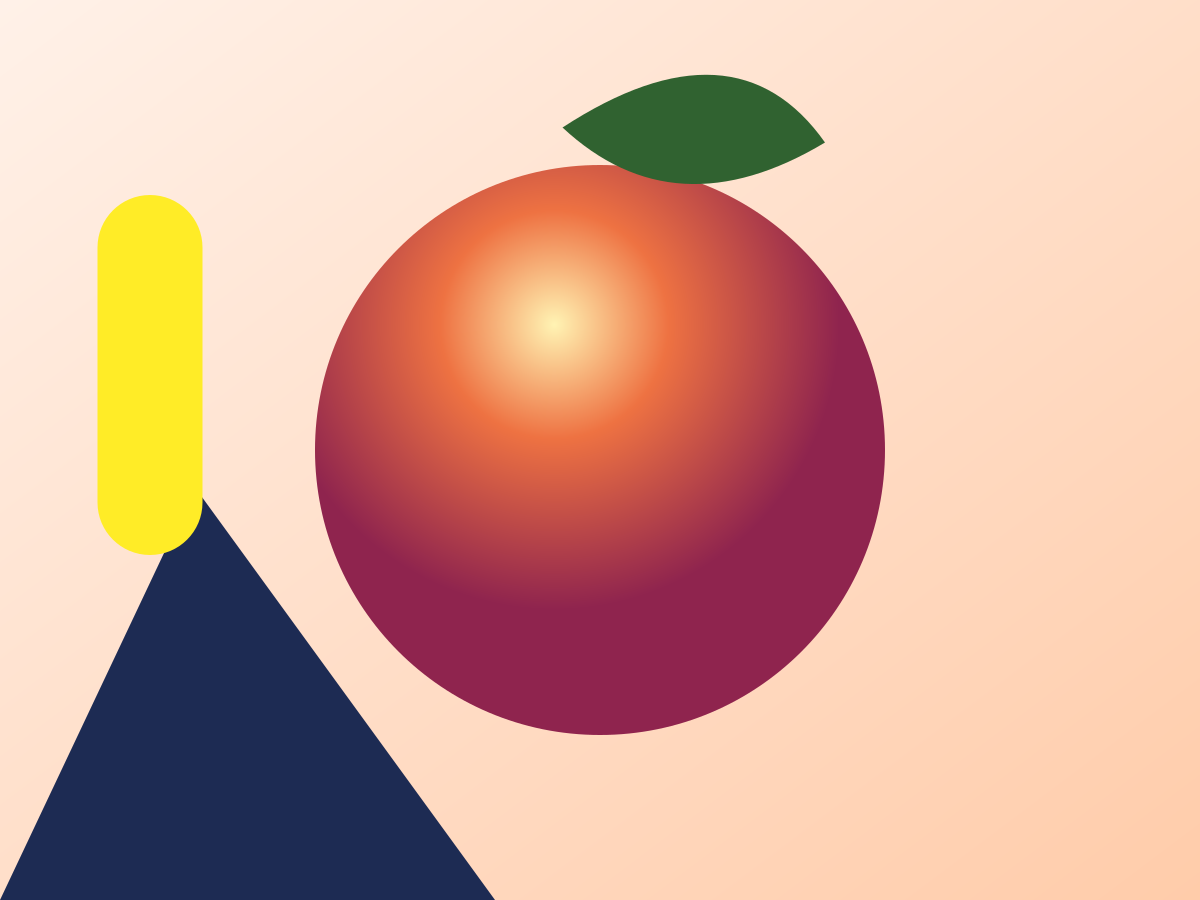
Colorful illustration with a shaded orange sphere, before the halftone effect
Original
Result
Drag to compare

Try a sample

Adjustments

Create a halftone effect online: how dots work

A halftone effect represents a smooth shade through the area covered by ink. In this halftone generator, a dark cell receives a larger mark and a light cell receives a smaller one. The spacing of the underlying grid stays fixed. Viewed from a distance, the marks blend into apparent gray; viewed close up, their geometry becomes part of the design. Changing dot size therefore changes tone as well as style.

The halftone maker samples the average darkness around each grid center instead of reading just one pixel. A narrow highlight crossing a cell contributes alongside its darker neighbors. At a cell spacing of 10 pixels, a half-dark circular cell has a radius of about 3.99 pixels with the size factor at 1. Its area is 50 square pixels. A fully dark cell has a radius of about 5.64 pixels. This square-root relationship avoids making midtones too pale.

Brightness, contrast and gamma prepare the image before screening. Inversion reverses the resulting light and dark relationship. Transparent source pixels are treated as white for ordinary halftoning; choosing transparent paper changes the output background, not that sampling rule. For artwork where source transparency itself must drive the dots, switch to DTF mode instead.

Shaded sphere before and after the halftone effect: smooth gray tones become black dots of varying size

How to use this halftone maker

Choose a useful source

Select a file, drag it onto the canvas, paste an image from the clipboard, or open one of the three examples. A shaded sphere shows tonal changes; the color composition exposes color-mode differences; the transparent star illustrates alpha behavior. The halftone generator accepts files up to 60 MB and decoded images up to 64 megapixels. Animated input is treated as a still image.

Set the screen structure

Start with CMYK circles: spacing is 10 px per 800 px of the long edge, with a 10 px minimum. Increase spacing until the dots are clearly visible at the artwork’s intended display size. The angle buttons apply to single-ink and duotone modes. Keep the original comparison visible while checking small lettering and facial features. A coarse screen cannot retain detail smaller than its cells.

Balance tones and inks

Adjust brightness for the overall level, contrast for separation and gamma for the middle tones. Use the size factor for deliberate ink coverage rather than compensating for every tonal problem with larger dots. Select a single ink, two inks or the four-screen CMYK simulation. The halftone maker lets you change paper color or leave it transparent for placement over another background.

Export for the next step

Choose PNG for clean pixels with optional transparency, JPG for a white-backed raster file, or SVG for editable geometric marks. Raster export is recalculated from the source at the selected dimensions; it does not enlarge the small preview. The 1× and 2× choices are capped at an 8000-pixel long edge. Check the downloaded file at its actual intended size before placing it in a layout.

Halftone filter controls: shapes, angles and CMYK

The halftone filter offers six shapes on the same rotated grid: circle, square, diamond, line, ellipse and cross. Squares and diamonds have areas proportional to darkness at the default size factor. Lines grow in thickness across the cell. Ellipses stretch the circular construction while retaining its area. Crosses concentrate ink along two arms. Shape changes are easiest to judge on a broad gradient before committing them to detailed artwork.

Cell spacing starts at 3 output pixels; its upper limit scales with image size from 80 px. Because the value refers to exported pixels, a 2× export contains more cells across the same source composition if you keep the spacing unchanged. Double the spacing as well when you want to preserve approximately the same visible number of dots. The size factor ranges from 0.5 to 1.5; circular radius is capped at three quarters of a cell, so neighboring dots can join in dark areas.

The duotone halftone effect uses the second ink in lighter regions and adds the first ink in shadows. CMYK uses four separate screens, initially C15, M75, Y0 and K45 degrees. A simple gray-component removal calculation assigns shared darkness to black, and the colored layers combine with multiply blending. This is an RGB screen simulation, not an ICC-managed press separation or a promise of accurate printed color.

Comic / Pop art, Newspaper and Screen print presets change several settings together. The two DTF presets additionally enable transparency-based processing and white or black knockout. A preset is a starting point: the halftone generator still exposes every relevant control. SVG output groups same-color dots into paths and labels the CMYK groups C, M, Y and K. Above 250,000 dots, generation pauses for your confirmation because the file may be expensive to open.

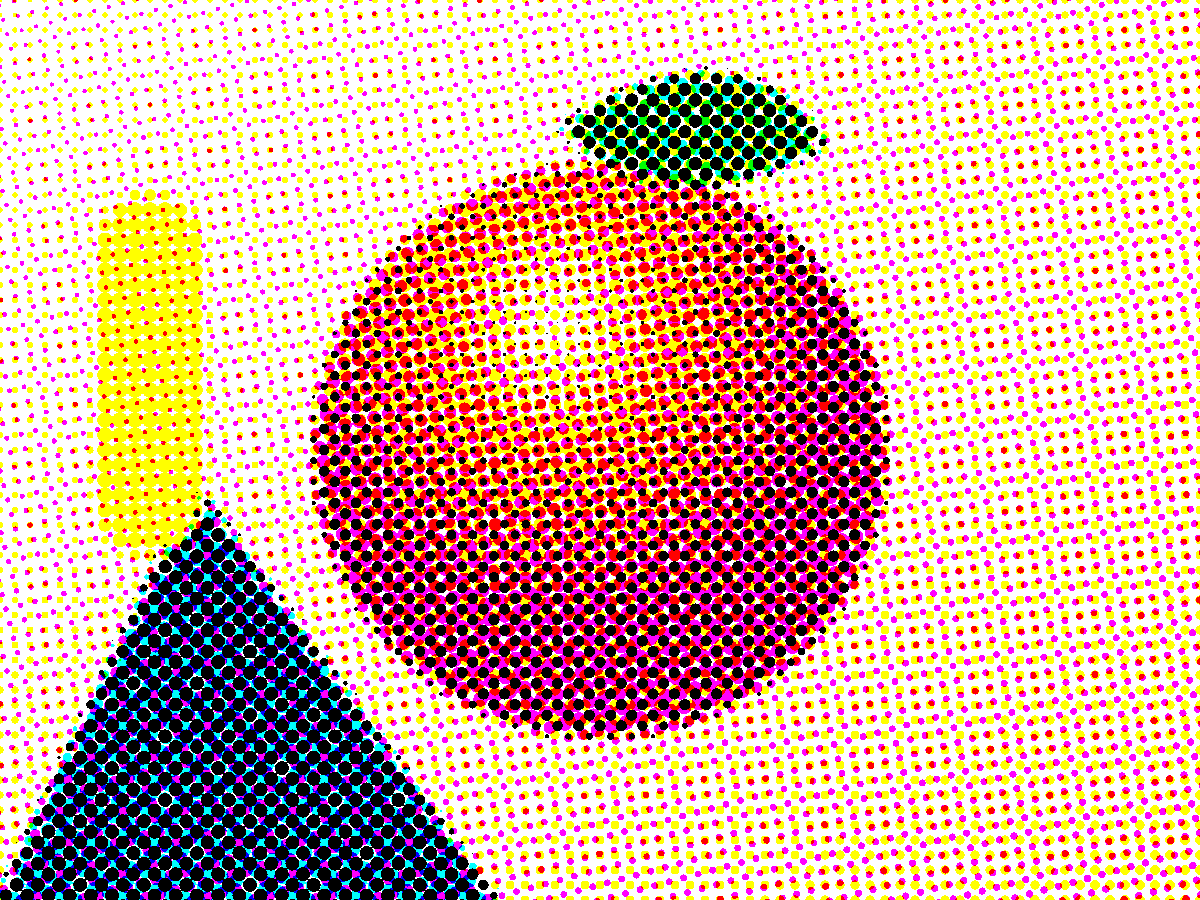
Image to halftone: comics, posters and print studies

Colorful shapes converted to red and black comic halftone dots

Comic / Pop art preset

Red and black duotone, 12 px cells at 45°, contrast +20.

Shaded sphere rendered in fine black newspaper halftone dots

Newspaper preset

Black ink, 6 px cells at 45°, contrast +10.

Shaded sphere with coarse black halftone dots for a screen print study

Screen print preset

Black ink, 16 px cells at 15°, contrast +25.

Colorful illustration rebuilt with overlapping CMYK halftone screens

CMYK screens

10 px cells; screen angles C15°, M75°, Y0°, K45°.

When converting an image to halftone for a comic panel or poster, start with the composition and intended viewing distance. Larger dots can support a bold silhouette but may erase subtle expression. Compare the lightest face area and the deepest shadow separately. If both become flat, reduce contrast before changing the grid. This halftone converter keeps the original available in the comparison slider so you can distinguish a useful graphic simplification from lost information.

For a two-color graphic, choose inks that remain distinguishable where they overlap. The paper setting participates in the visible result, so a warm paper color can change the perceived balance without changing the input photograph. Transparent paper is useful for compositing, but the dots themselves remain the chosen inks. Inspect the exported image against the actual background of your design; a preview on a checkerboard is not a reliable color proof.

For a screen-print concept, treat spacing in pixels as a design parameter, not as a declared physical mesh specification. Final physical scale depends on the size at which you place the artwork. Ask the printer about minimum printable detail and separation requirements before committing production files. The halftone generator can provide geometry to develop that conversation, while the final substrate, ink and equipment still determine what can be reproduced.

For scalable illustration, the halftone SVG export keeps curves and straight edges as geometry. It does not magically reconstruct details omitted by the grid. Reducing cell spacing creates more marks and larger files; scaling an existing SVG increases the size of its existing marks. These are different operations. Choose the amount of detail first, then choose whether the next application needs pixels or paths.

Halftone converter vs Photoshop

Photoshop offers broader image editing and compositing, while Illustrator provides extensive vector arrangement and drawing tools. This halftone generator concentrates the source image, screen parameters and downloads in one browser workflow. That makes it useful for trying several screen styles quickly, but it does not replace layer-based retouching, typography, clipping workflows or professional print color management.

Use the browser result as an asset inside the larger design rather than expecting the converter to finish every stage. A downloaded SVG can be enlarged without pixelated dot edges; a PNG is often simpler when the next application only needs a raster image. JPG is convenient for opaque previews, but its compression can soften fine dot boundaries. Transparent regions are filled white when saving JPG.

The preview uses a copy with a long edge no larger than 1200 pixels and updates after an 80 ms pause in your changes. Fine screens may look different at that reduced size. The export is the reference for final detail. Processing time depends on your device, image dimensions and dot count; the displayed calculation time is diagnostic, not a guaranteed response time.

Halftone generator FAQ

A halftone image uses dots of one ink color to create the appearance of lighter and darker shades. Larger or more closely spaced dots cover more of the paper, while smaller or more widely spaced dots leave more paper visible. From a distance, the dots blend into gray tones. This tool also offers six shapes, duotone and CMYK effects.


They are called halftones because one ink reproduces the intermediate tones between bare paper and solid ink. A printed dot itself is solid, but the paper showing around it makes the area appear lighter. The name comes from nineteenth-century photomechanical printing, where dot patterns made it possible to reproduce photographs with a range of apparent shades.


Yes. Loading, adjusting and downloading are free, with no login or credit purchase. Processing takes place in the browser. The input and export limits shown beside the controls protect against excessive image allocations; they are not paid unlocks. Only ordinary usage events are sent to analytics, without image contents or filenames.


Ordinary halftone SVG files contain geometric paths, not an embedded source photograph. Same-color marks share a path, and CMYK has four labeled groups. In DTF mode, intact source colors require a different representation: horizontal runs of opaque pixels become vector paths. Detailed DTF images can therefore produce particularly large SVG files.


Yes. Enable transparent paper and export PNG or SVG. Ordinary mode still treats transparency in the input as white during tone sampling, so output transparency is not a copy of the input alpha channel. DTF mode is the separate option for converting semitransparent source regions into fully opaque marks separated by transparent gaps.


The CMYK option simulates four angled ink screens using multiply blending. It is not an ICC color conversion and does not create printer-specific ink limits. The SVG groups are useful for inspecting the channels, but a printer should confirm the required separation workflow and physical settings before you use artwork in production.


Export halftone SVG and PNG

Prepare your halftone SVG or raster export with a sample first, then choose your own image. Set the grid for the size you actually need, compare the shadows and highlights, and download the format your next application accepts. Save the source separately: exported dots capture your chosen effect, and cannot restore the continuous tones you removed.

Halftone Generator — Free Online Halftone Maker (PNG & SVG)