
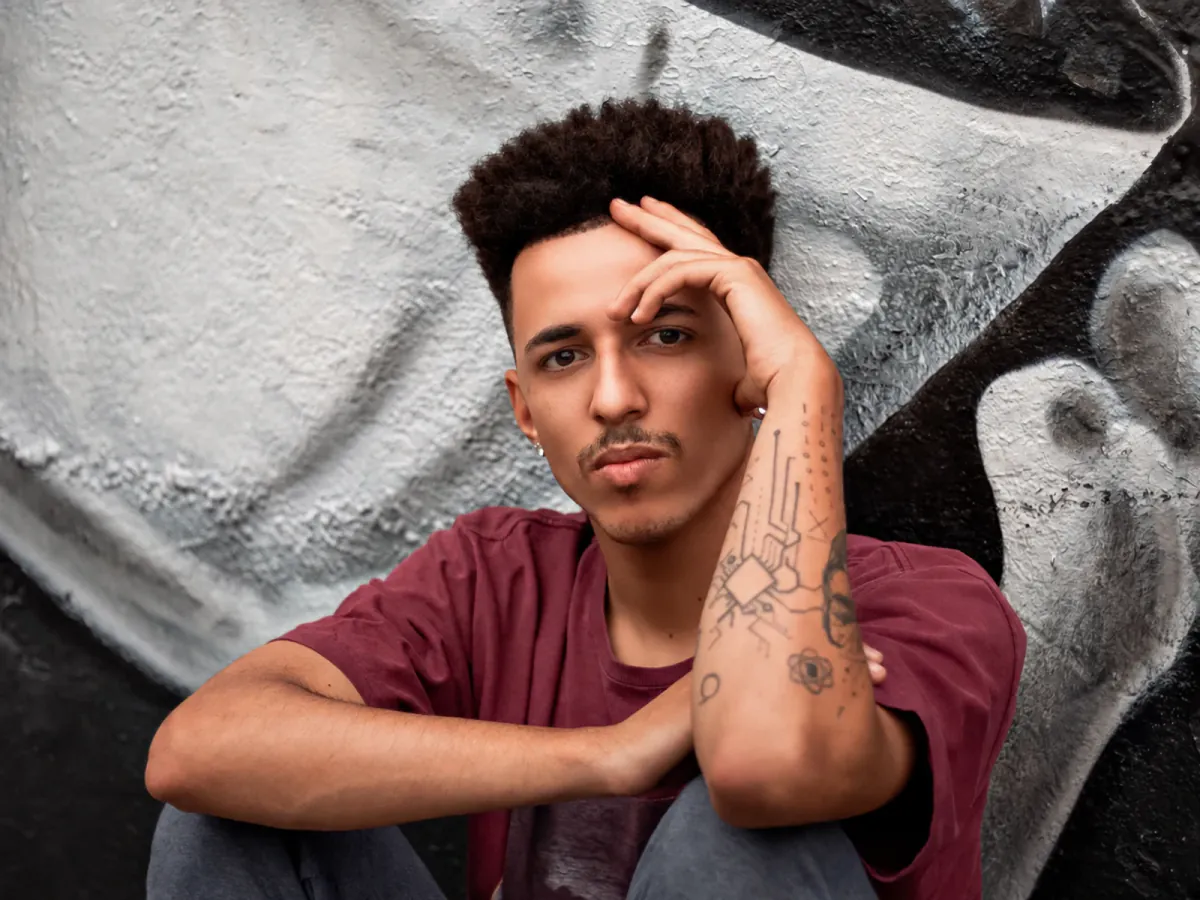
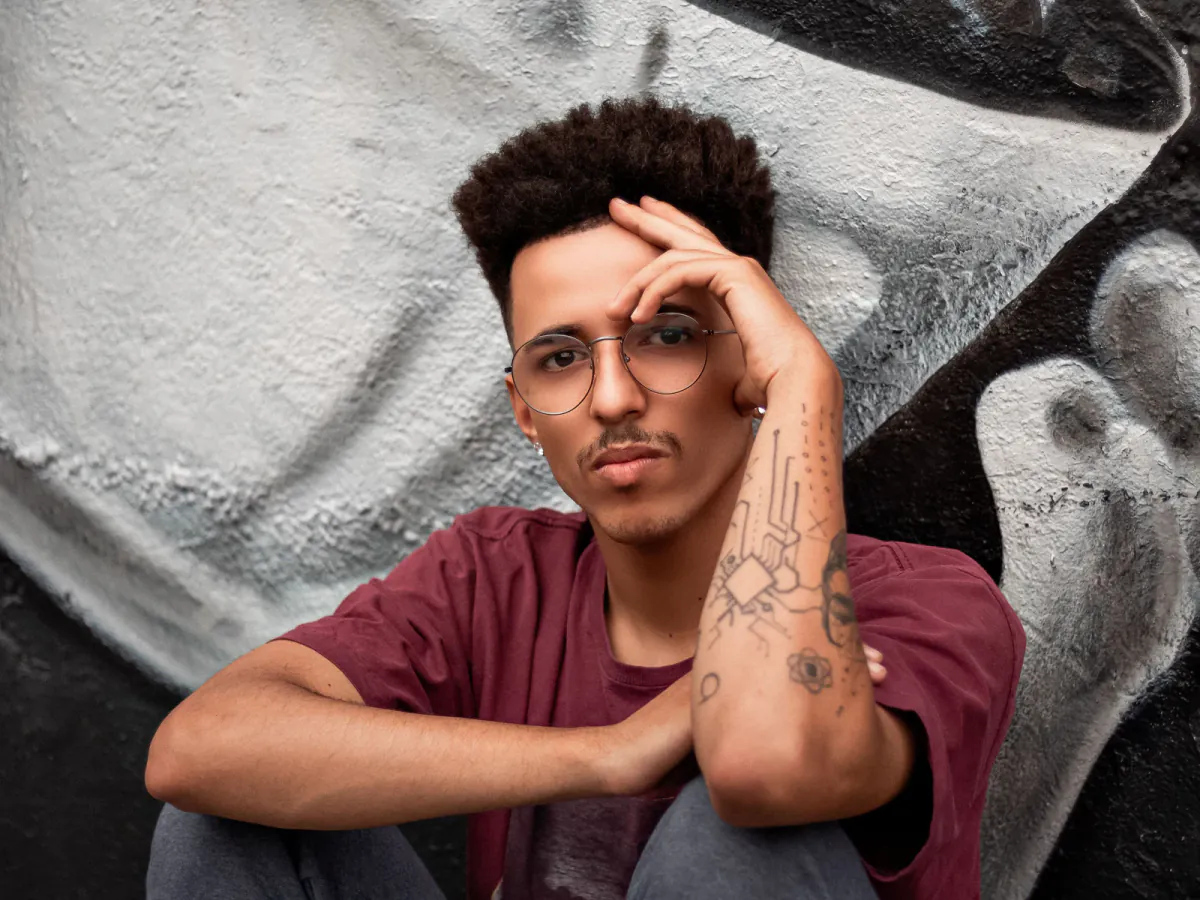
Before
After
Clear Eyeglasses
Thin metal frames. The lenses had been shrinking the eyes; now they are back to their real width.
Upload a portrait and let AI remove glasses from a photo in seconds — eyeglasses and sunglasses both come off, the eyes go back to their true size, and it is still the same face.
Drop your photo here or click to upload
JPG, PNG, WebP · Max 30 MB per image
HEIC/HEIF, TIFF, BMP, GIF & AVIF are converted automatically · Max 60 MB before conversion, 30 MB after.
No image? Try one of these
Costs 6 credits · No card needed to start
Drag any slider. Frames gone, eyes back at their real size, skin running through where the rims were — that is what it takes to remove glasses from a photo properly.
Thin metal frames. The lenses had been shrinking the eyes; now they are back to their real width.
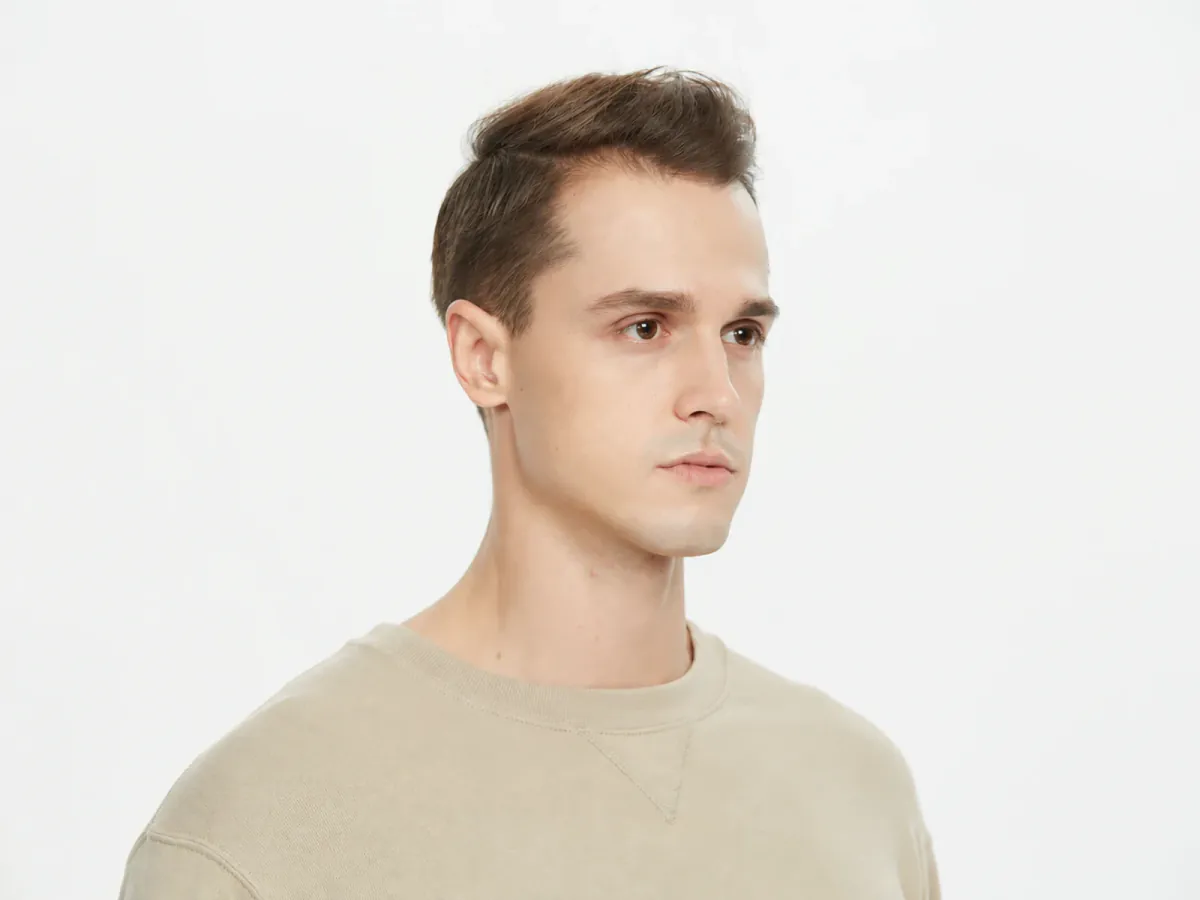
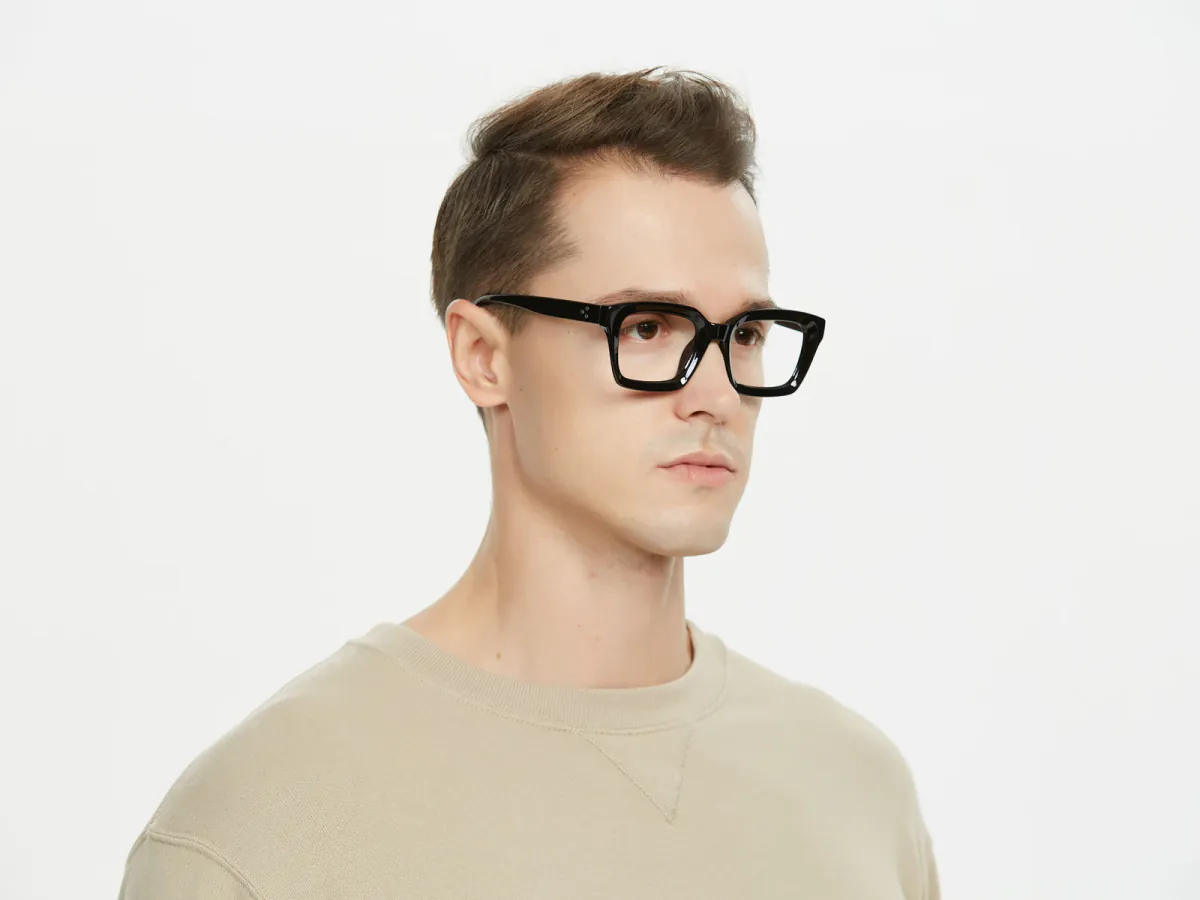
Heavy acetate over the brows and a wide band of skin, continued from the surrounding face.
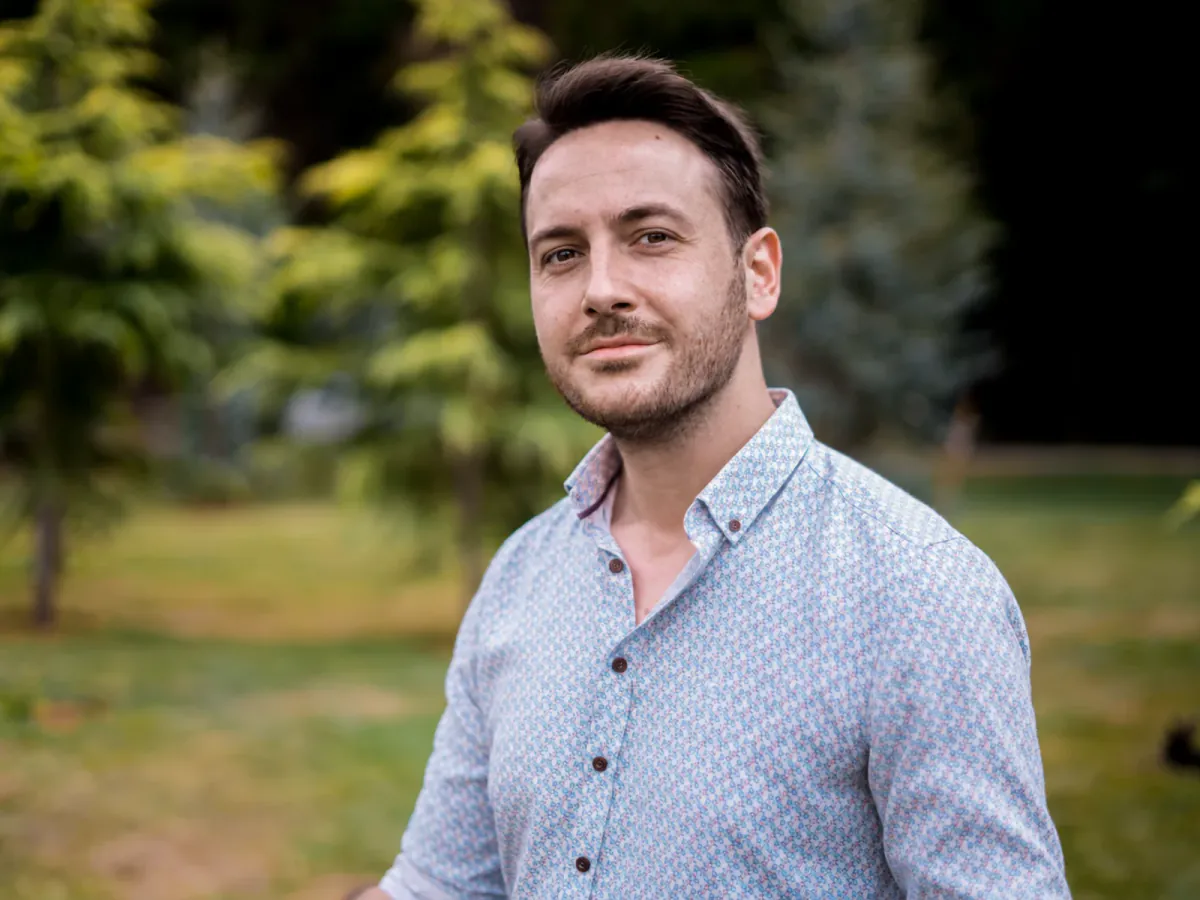
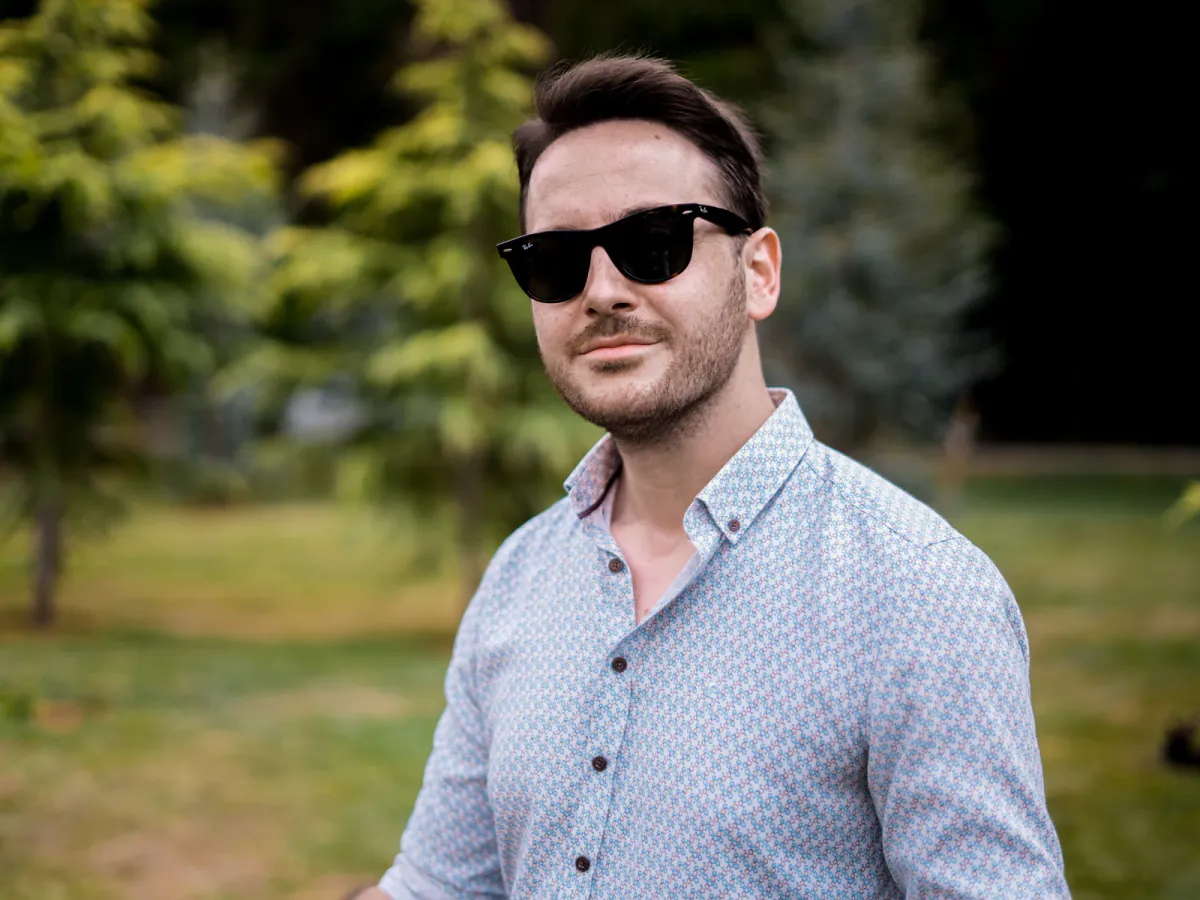
Dark lenses hiding the eyes entirely, rebuilt from the brow shape and the light.
Where it helps
Almost nobody does this for fun — there is one good photo of you and the eyewear is in the way.
Your best photo is the one where you are laughing. Take the frames off and people see your eyes.
Heavy frames hide your eyes in a small thumbnail. A glasses-free version gives you a second option.
See how you look without glasses before committing to surgery or contacts.
One relative who never took the frames off, or glasses hiding the eyes in a group shot, fixed before you print.
What the AI handles
Different eyewear leaves different evidence. How much has to be reconstructed depends on how much of your eye the lens hid.
Your eyes show through the glass and are kept — only refraction, rims, pads, and shadows go.
Acetate hides the brows and a band of skin, continued from the pixels around it.
Worth being honest: when dark lenses hide the eyes completely, the result is a natural reconstruction from your brow shape, skin tone, and the light — not a record of your actual eyes. Check the preview first.
Partly darkened lenses still leak eye detail, and whatever shows through becomes the evidence.
Yes, but only if the tool knows what a lens does to a face. A minus lens for myopia shrinks whatever sits behind it, so your eyes look smaller and your cheek steps inward at the rim. Erase the frame and leave that distortion and a faint outline stays where the lens edge was.
So this is reconstruction, not erasing: the eyes return to their true size, the jaw runs as one continuous curve, and the skin under the rims continues from its neighbours.
The size change and edge shift the lens introduced are undone.
Brow shape, lid crease, lashes, and gaze are carried over, not redrawn.
The strip behind the rims gets matching skin texture, not a smoothed patch.
Nothing is slimmed, brightened, or smoothed.
Three things must go right at once: the frames leave, the eyes come back at true size, and the face stays yours.
The rim strip, bridge, temple line, nose-pad marks, and frame shadow go together, refilled with skin from beside them.
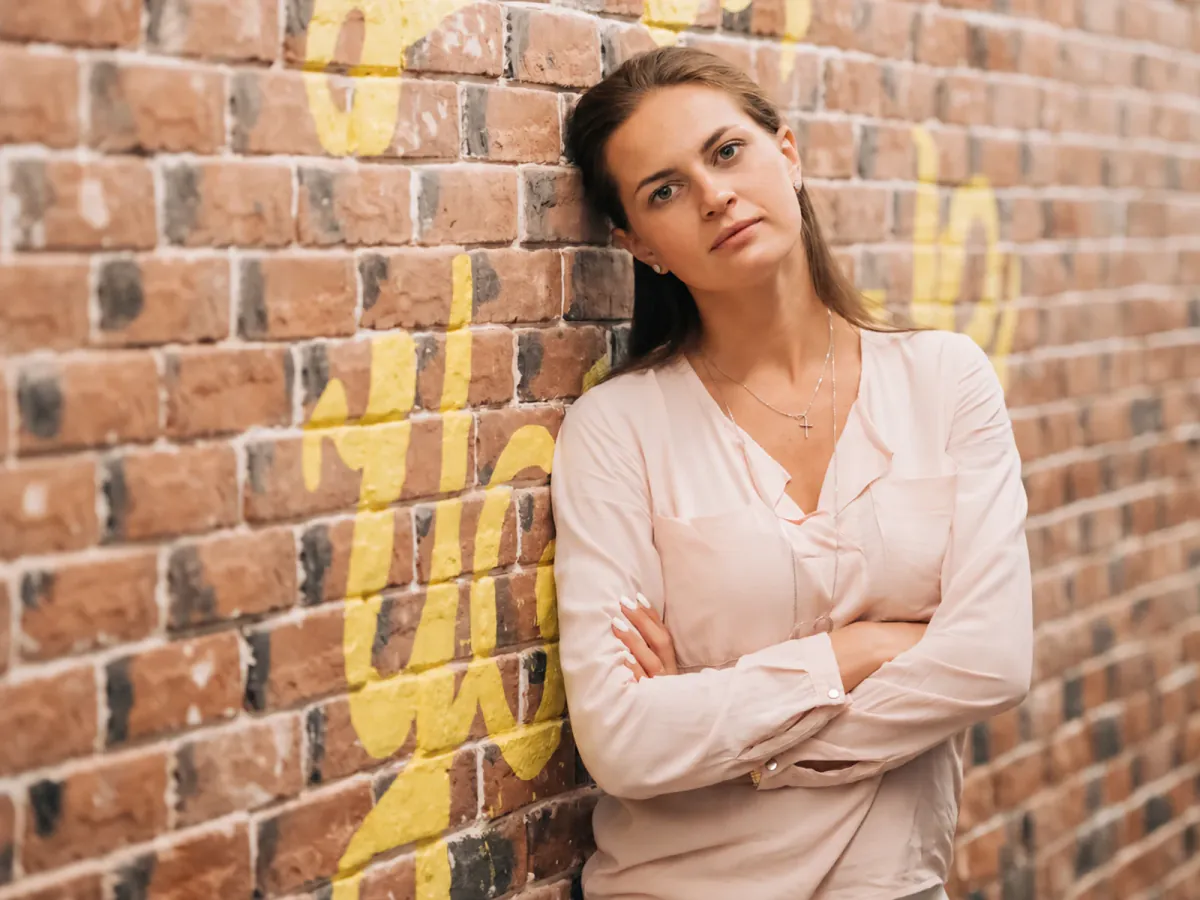
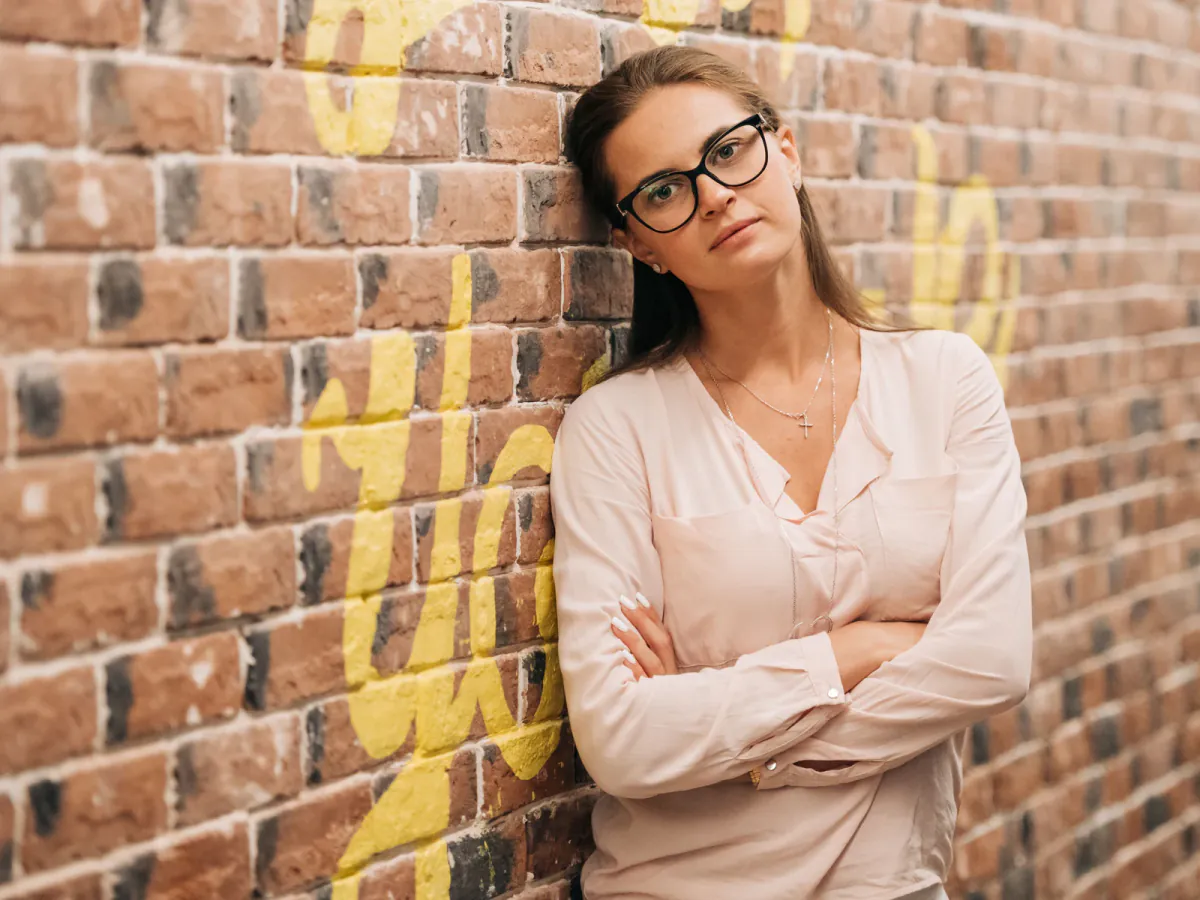
Refraction correction is the step most tools skip: the eyes return to the size they are without a lens.


Sunglasses mode rebuilds calm, open eyes whose gaze matches the head pose, using your brows and complexion as evidence.
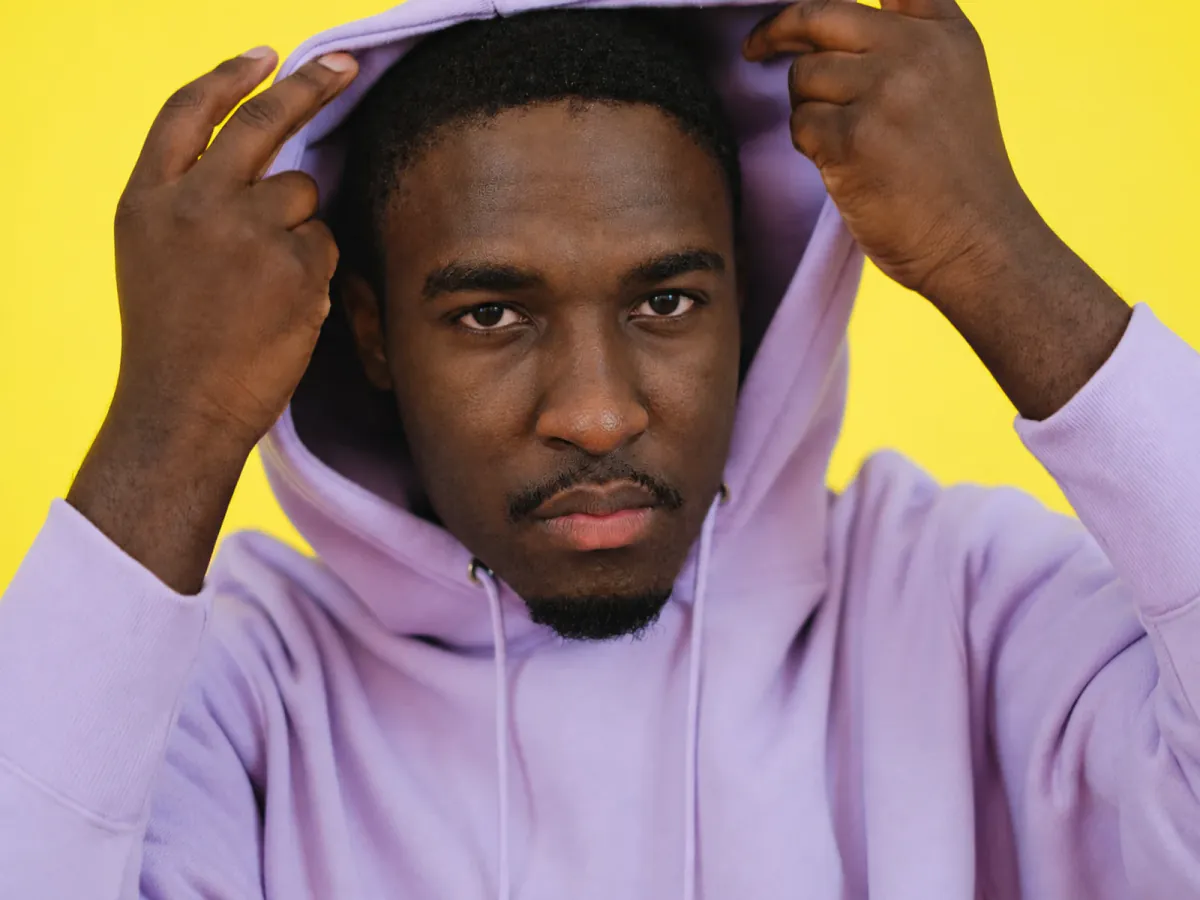
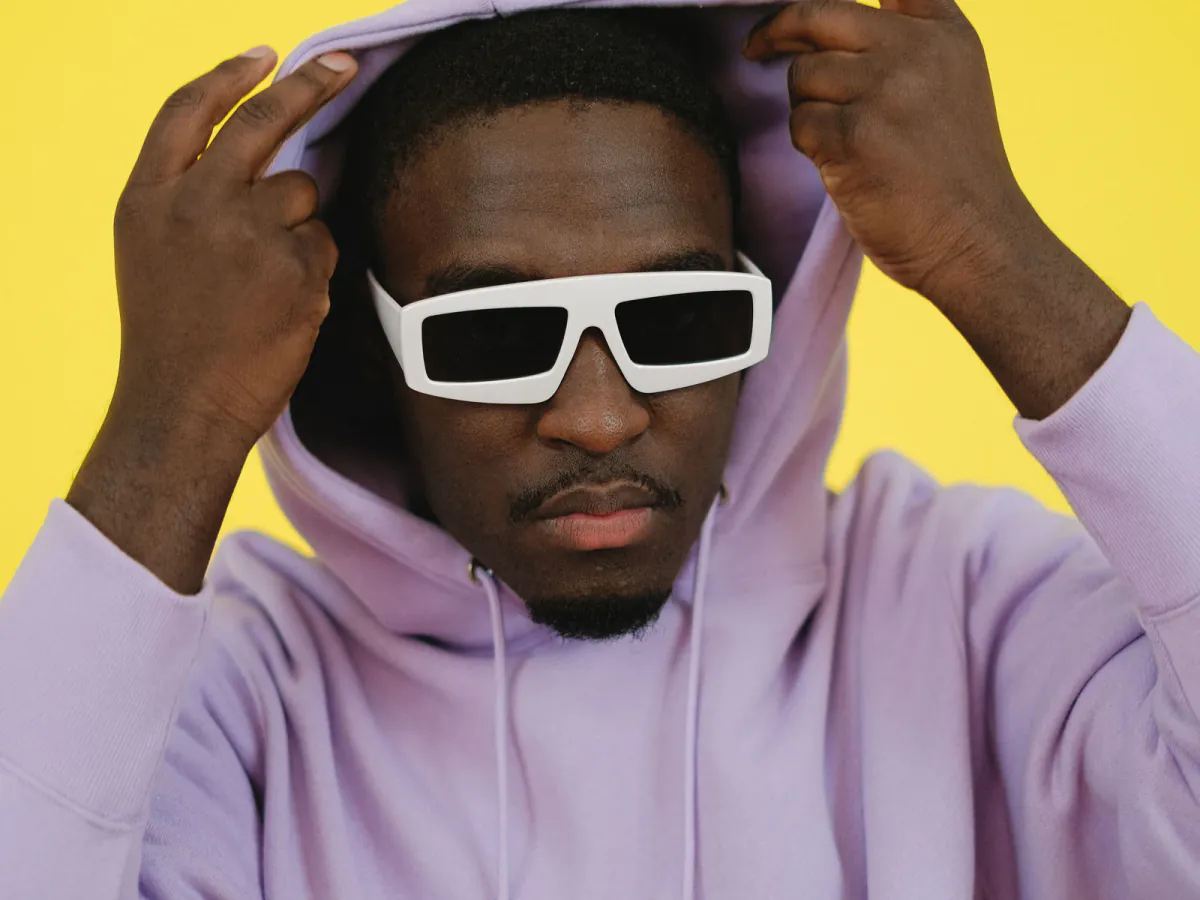
A glasses remover built around identity: the eyewear disappears, the person does not.
Lens distortion is undone with the frame, so no step or ghost edge is left behind.
Tell the model whether it can see the eyes or must rebuild them.
No slimming, smoothing, brightening, or added makeup. The person who comes out went in.
Nose-pad marks and the strip behind the rims continue from adjacent pixels.
Export at up to 4K so the result holds up as a print.
Your upload is used only to process your request, not to train our models, and is deleted automatically.
Taking eyewear off a face means inventing what the frame covered and undoing what the lens did.
| Method | Best for | Typical effort |
|---|---|---|
| AI glasses removerFastest | Clear lenses, thick frames, or sunglasses, any resolution. | Upload, pick a type, download in seconds. |
| Photoshop generative fill | Retouchers who refine the result by hand. | A subscription, a selection per element, several tries. |
| Clone stamp and healing brush | Thin frames over flat skin, no refraction to undo. | Careful sampling; the lens-edge step usually stays. |
| Phone editing apps | Small blemishes — most cannot rebuild an eye. | Quick, but the frame line remains. |
| Retake the photo | Shoots you can arrange, wearing contacts. | Free when possible; impossible for archives. |
Better inputs
The reconstruction works only from the evidence you give it.
Originals keep the faint edge detail the model rebuilds from.
A straight or slightly turned head gives the model both sides.
With clear lenses, any part of the eye showing through becomes the primary evidence.
Motion blur and heavy compression around the eyes force more guessing.
It takes under a minute to remove glasses from a photo here — no app, nothing to install.
Drag and drop from a phone, camera, or desktop. JPG, PNG, and WebP up to 30MB.
Leave it on automatic, or say whether the lenses are clear or dark.
Frames, nose pads, and lens refraction go together while eyes, brows, and skin are rebuilt.
Check the before-and-after slider and download a free 1K copy, or unlock the full 2K/4K version with any purchase.
Two jobs get confused constantly. If you like the frames and the only problem is a white patch of light across the lenses, you want the eyes visible behind them, not the eyewear gone — that is remove glasses glare.
If the bright patch is not on the eyewear at all — a window behind you, a flash bounce off a forehead — start with remove glare from photo.
Use this page. Eyeglasses and sunglasses come off, eyes rebuilt underneath.
Use the glasses glare remover — the frames stay, only the light is cleared.
Use the general glare remover for windows, flash hotspots, and reflections.
Common questions about taking eyewear off a portrait with AI.
Upload your portrait to this AI glasses remover, choose eyeglasses or sunglasses (or leave it on automatic), and the AI takes the frames off and rebuilds what they were covering. New accounts get free starter credits, so your first runs cost nothing. Check the result on the before-and-after slider before you download it. The free result downloads at 1K (1024px), and any purchase from $2.99 unlocks the full-resolution file.
That is the whole design goal. Prescription lenses change the apparent size of your eyes and shift your face outline at the rim, so removal has to undo that distortion rather than just erase the frames. Eye colour and shape, brow thickness, expression, gaze, moles, and wrinkles are carried across untouched, and no beautify or smoothing filter is applied on top.
Yes, with an honest caveat. When dark lenses hide the eyes completely there is nothing left to recover, so the AI builds natural eyes from the evidence it does have: your brow shape, lid hints, skin tone, face structure, and the direction of the light. The result looks like you and reads as real, but it is a reconstruction rather than a record. Results vary by photo, so always check the preview before downloading.
No. US passport photos have not allowed eyeglasses since November 2016, and separately, any digitally altered or retouched photo is rejected outright — so an edited image fails on both counts. Rules on glasses vary by country, but nearly every country rejects retouched ID photos. For an official document, take your glasses off and shoot a new photo. Use this tool for profile pictures, resumes, social posts, and family keepsakes instead.
Open this page in Safari or Chrome on the phone, tap upload, and pick the shot straight from your camera gallery. There is no app to install, and the processing runs on our servers, so an older phone gets the same result as a desktop. Choose the original file rather than a screenshot or a chat-app copy, because compression strips the fine edge detail the reconstruction relies on.
Yes. Spectacles, specs, readers, rimless glasses, and half-frames are all the same job to the model. Whatever you call them, a request to remove spectacles from photo portraits is handled by the same eyeglasses mode: the rims and nose pads go, the lens refraction is undone, and the eyes visible through the glass are kept rather than redrawn.
Then you want the frames to stay. Use the dedicated glasses glare and reflection remover: it leaves the eyewear exactly where it is and clears only the light sitting on the lenses, so the eyes behind them become visible again. Come back to this page when you want the glasses off the face entirely.
JPG, PNG, and WebP up to 30MB are supported, with output at up to 4K. Uploads are processed only for your request, are not used to train our models, and are deleted automatically afterwards. Download anything you want to keep before you close the tab.
Upload a portrait and remove glasses from a photo in seconds — free starter credits, nothing to install.