
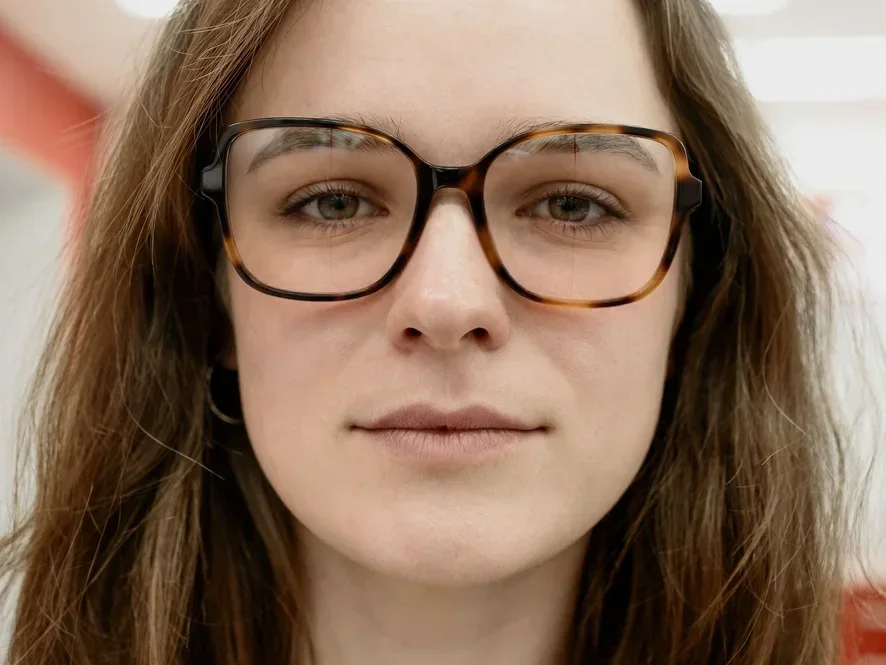
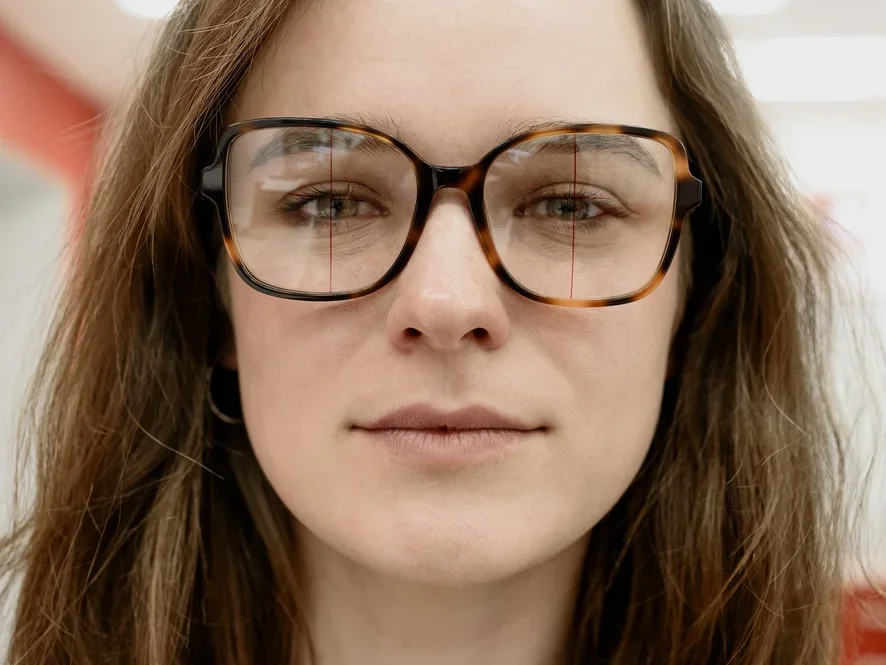
Before
After
Portrait Photography
Clean distracting glare while preserving the natural gaze.
Instantly remove glasses glare, reflections, and flash spots from eyeglasses in your photos with AI — while keeping the eyes behind the lenses natural and sharp. Want the glasses gone entirely? Use the remove glasses from photo tool.
Drop your photo here or click to upload
JPEG, JPG, PNG or WebP image allowed.
No image? Try one of these
Costs 6 credits · No card needed to start
Drag any slider to compare the original image with an AI-cleaned result.
Clean distracting glare while preserving the natural gaze.
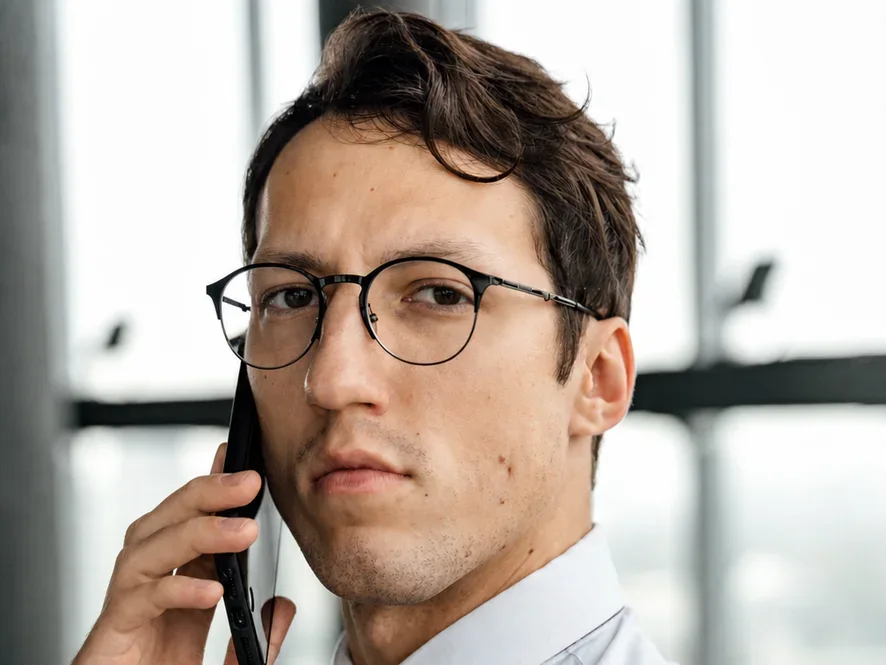
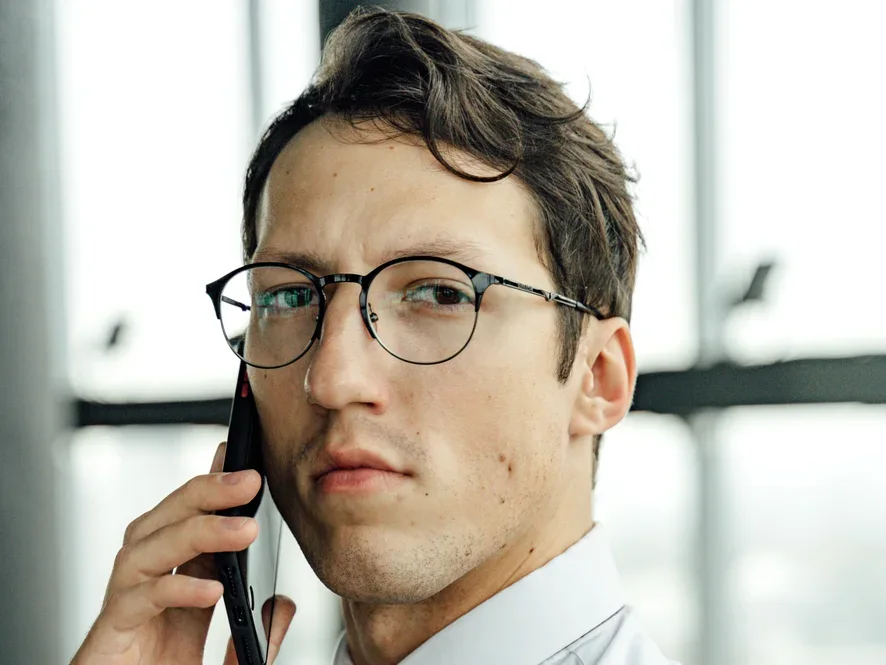
Recover a polished photo for profiles, resumes, and team pages.
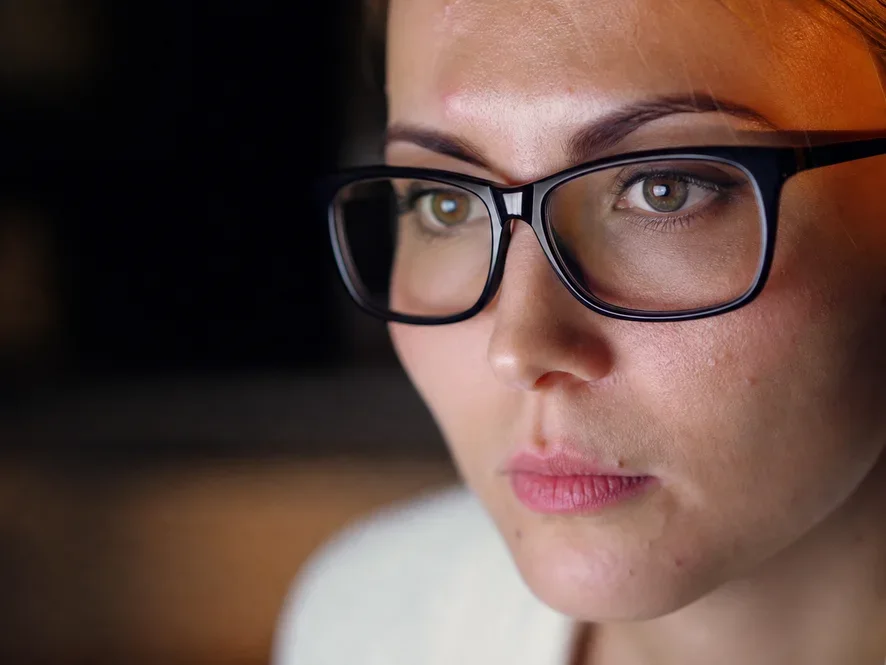
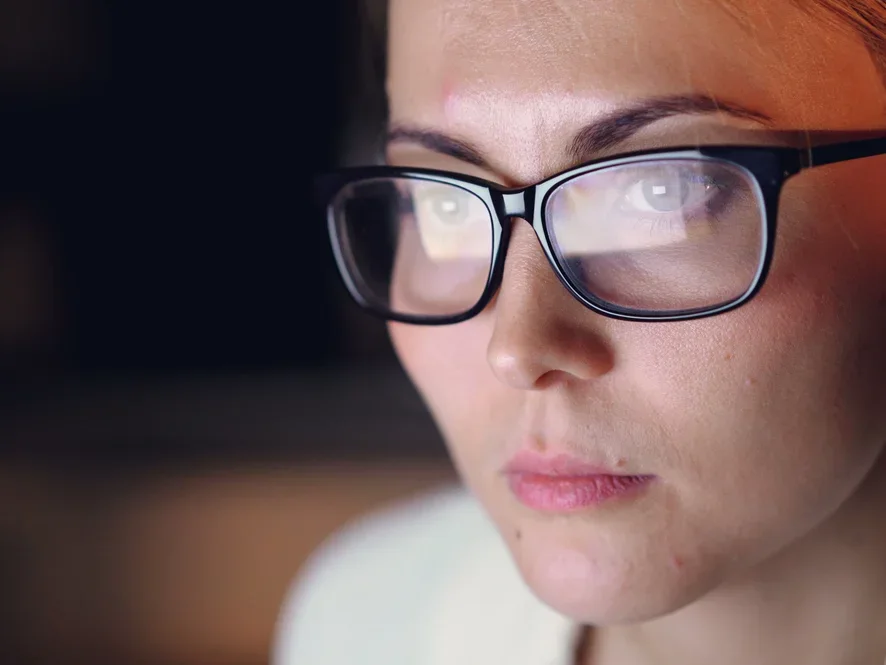
Clear monitor and screen reflections from glasses in webcam-style photos.
Why glare happens
Glasses reflection appears when light bounces from the curved lens surface into the camera. The page breaks the main causes into practical shooting situations.
A direct flash can create a sharp white spot on one or both lenses, especially when the camera is close to the subject.
Window light behind or beside the subject can reflect as a pale block across the glasses and cover the eyes.
Studio lights, ceiling lights, and office lighting often hit the upper lens curve and create streaks or hotspots.
Video calls and webcam portraits often show monitor reflections because the subject is looking directly at a bright screen.
Glare patterns
Different reflections damage a portrait in different ways. The AI looks at both lenses, visible eye detail, and the surrounding face before rebuilding a cleaner result.
Best for bright dots or compact highlights that sit on the lens but do not fully cover the eye.
Useful when a window shape or white patch stretches across the glasses and pulls attention away from the face.
Works well for remote-work portraits, meeting screenshots, webcam photos, and profile images captured near a monitor.
Helps reduce outdoor lens glare while preserving the frames, skin texture, and natural expression.
Remove glasses reflection and the most common types of eyeglass glare while preserving faces, frames, and natural eye detail.
Clear sun glare, flash glare, window reflections, screen reflections, and bright hotspots from eyeglass lenses automatically.
Use automatic detection or select flash, sunlight, or window mode so the AI handles the lighting pattern that caused the reflection.
Reduce distracting lens reflection while keeping the person recognizable, with eyes, lashes, skin texture, and frames looking natural.
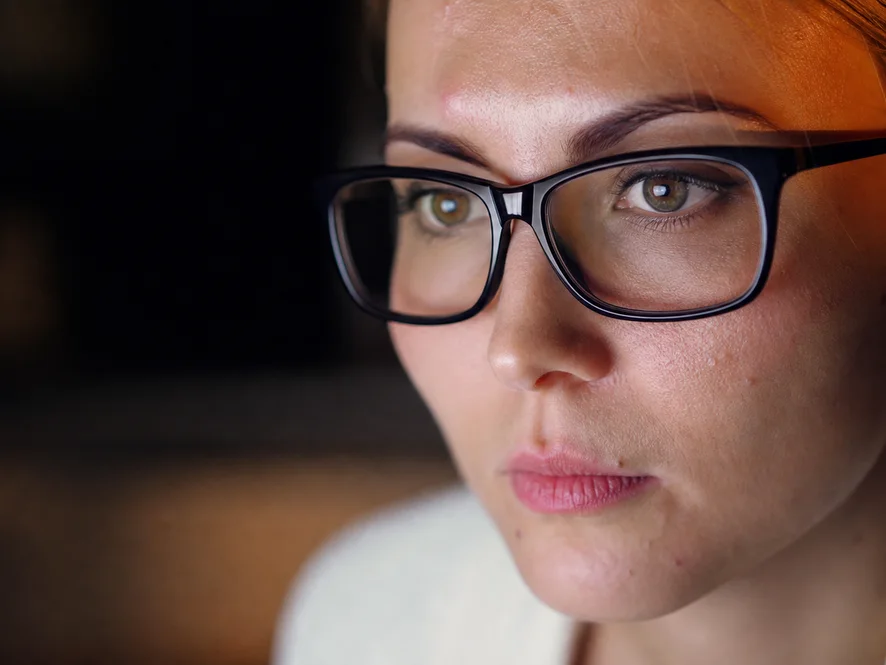
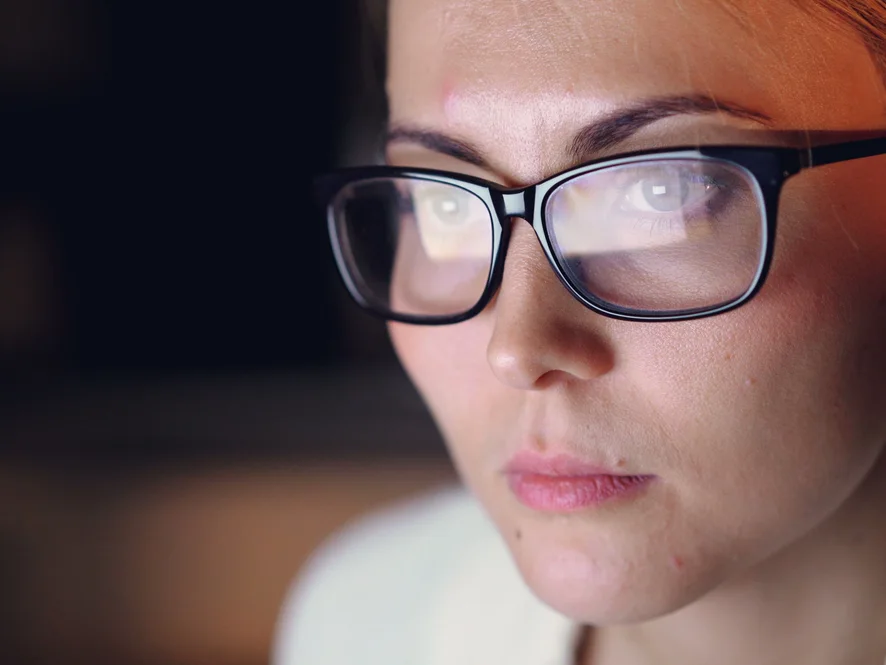
AI designed specifically to remove glasses reflection and eyeglass glare, with eyes that stay real.
Reveals the real eyes behind the lenses instead of painting over them — eyes, lashes, and gaze stay true to the person.
Removes sun, flash, window, and screen reflections plus bright hotspots from eyeglass lenses.
Keeps skin texture, expression, and the eyeglass frames exactly as they are — only the lens glare goes.
Get a clean, reflection-free photo in seconds, right in your browser.
Supports up to 4K resolution output for professional and print use.
Works online with no Photoshop skills, downloads, or installations required.
Upload and fix multiple photos with glasses reflections at once.
Your images are processed securely and deleted automatically. We never store or share your data.
Remove glasses reflections online free with starter credits — no subscription to start.
Manual retouching is powerful, but it is slow when lens glare hides eye detail. AI is better for fast, repeatable portrait cleanup.
| Method | Best for | Typical effort |
|---|---|---|
| AI glasses reflection removerFastest | Portraits, ID photos, team headshots, video call screenshots, and batches of similar images. | Upload the photo, choose quality, preview the result, and download in seconds. |
| Photoshop clone and healing tools | Small glare spots where the eye remains visible and the surrounding texture is easy to sample. | Requires careful cloning, masking, color matching, and manual blending. |
| Manual eye reconstruction | Severe glare that fully covers an eye and needs an expert retoucher to rebuild the iris and eyelid. | Can take an hour or more per photo, especially for high-resolution portraits. |
| Retake the photo | Situations where the subject, location, and lighting are still available. | Fast if possible, but impossible for old photos, event photos, and submitted portraits. |
Better inputs
The tool can repair many difficult portraits, but input quality still matters. These conditions give the AI more reliable facial and eye detail.
A focused face gives the model clear eyelids, lashes, skin texture, and frame edges to preserve.
If at least part of the eye is visible, the restored result is usually more faithful to the original person.
Use the original camera file instead of a compressed social media download or a small screenshot.
Avoid cropping too tightly around the glasses. More surrounding face context helps the AI blend the repair.
A quick guide to removing glare and reflections from eyeglasses in seconds.
Drag and drop or click to upload your photo — including iPhone and Android photos with glasses glare. Supports JPG, PNG, and WebP.
Choose 2K for standard quality or 4K for professional and print use.
Our AI detects the lens glare and reflections, removes them, and restores the natural eyes behind the lenses.
Compare before and after, then download your clean, glare-free photo.
Before the next shoot
AI cleanup is useful after the photo is taken, but small shooting changes can reduce lens glare before it happens.
Place bright windows, lamps, or flash slightly to the side instead of directly in front of the lenses.
Ask the subject to lower the chin slightly or turn the face a few degrees until the reflection leaves the eyes.
For video call photos, lower monitor brightness or move the window away from the direct front of the face.
For old portraits, event photos, HR headshots, and submitted ID images, post-processing is often the practical fix.
Common questions about removing glare and reflections from glasses in photos.
Upload your photo to our AI glasses reflection remover, choose an output resolution, and let the AI detect and remove the glare and lens reflections. It restores the natural eyes behind the lenses, then you download the result — no Photoshop needed.
Yes. Modern AI can remove glasses glare from photo shoots, selfies, and ID pictures even when the reflection partially covers the eyes. Our glasses glare remover analyzes the face, erases only the glare and reflections on the lenses, and restores the eyes behind them naturally — no Photoshop skills needed.
Yes. Our AI is specifically designed to preserve natural eye detail. It reveals the real eyes behind the lenses rather than painting fake ones, keeping eyes, eyelashes, and gaze direction true to the original person.
Upload the photo straight from your iPhone camera roll — no app to install. Our free AI detects the flash spots, window glare, and lens reflections common in iPhone and Android portraits, then restores the natural eyes behind the lenses. For the sharpest result, upload the original photo instead of a screenshot.
Yes. The tool removes flash reflections, sun glare, window and screen reflections, and bright light spots on eyeglass lenses. If the glare isn't on eyewear at all — sunlight on a printed photo, a camera flash on a document, or reflections on an old reprint — use our remove glare from photo tool instead.
You can try it online free with starter credits for new users. Higher resolutions and batch processing use credits, which you can top up anytime.
When a lens reflection fully covers an eye, the AI can still remove the glare from eyes in the photo: it reconstructs the hidden eye naturally and symmetrically to match the visible one, so the result looks realistic.
Yes. Removing lens reflections is one of the most common reasons ID and passport photos get rejected, and this tool is built to remove glasses reflection while keeping the photo natural.
We support JPG, PNG, and WebP up to 10MB. For best results, upload the original uncompressed photo rather than a screenshot.
No — this page keeps the frames exactly where they are and clears only the light sitting on the lenses. If you want the eyewear off the face altogether, with the eyes, brows, and skin underneath rebuilt, use the remove glasses from photo tool instead.
Remove glasses glare from photo portraits and clear lens reflections in seconds — free to try.