
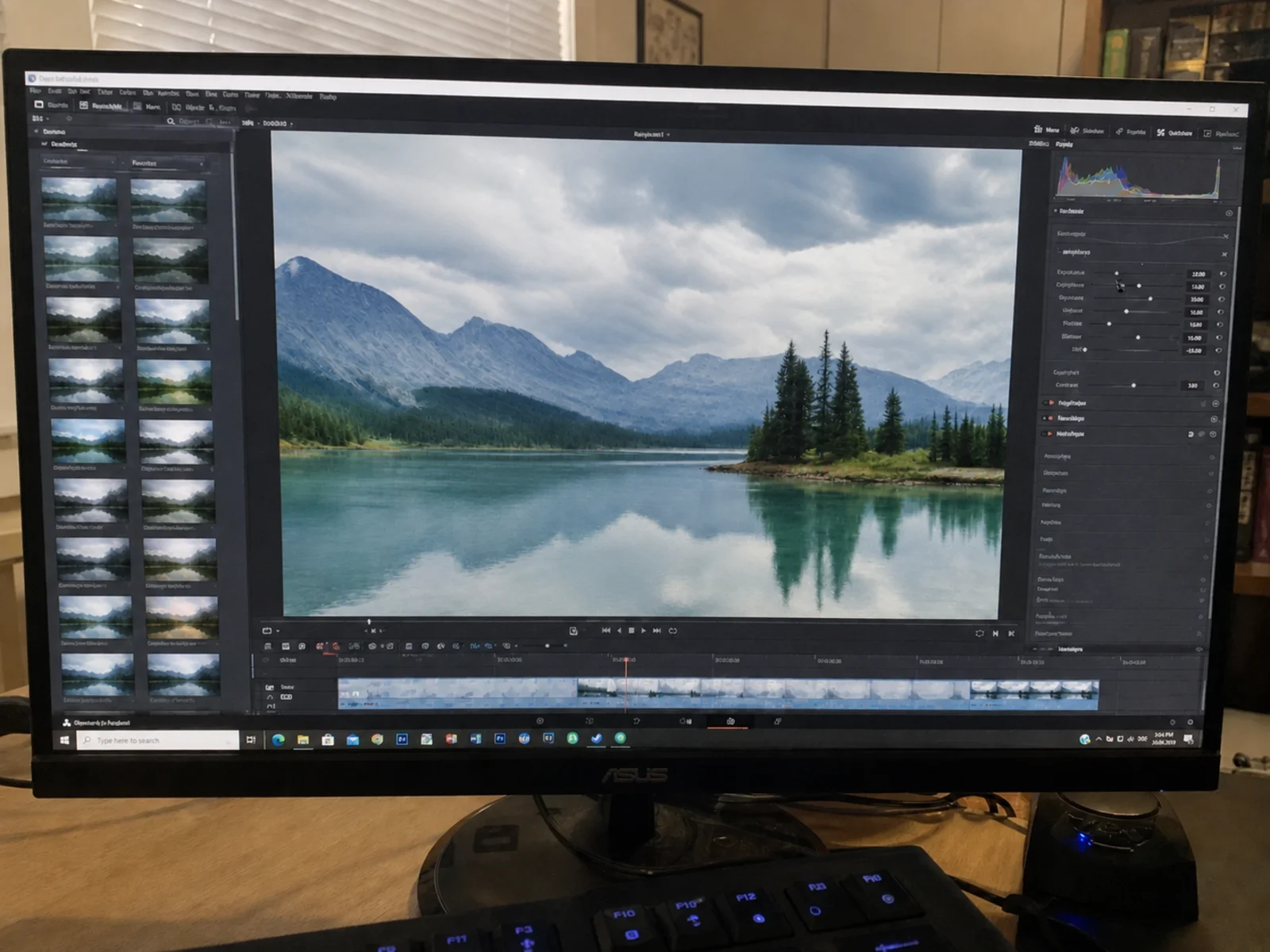
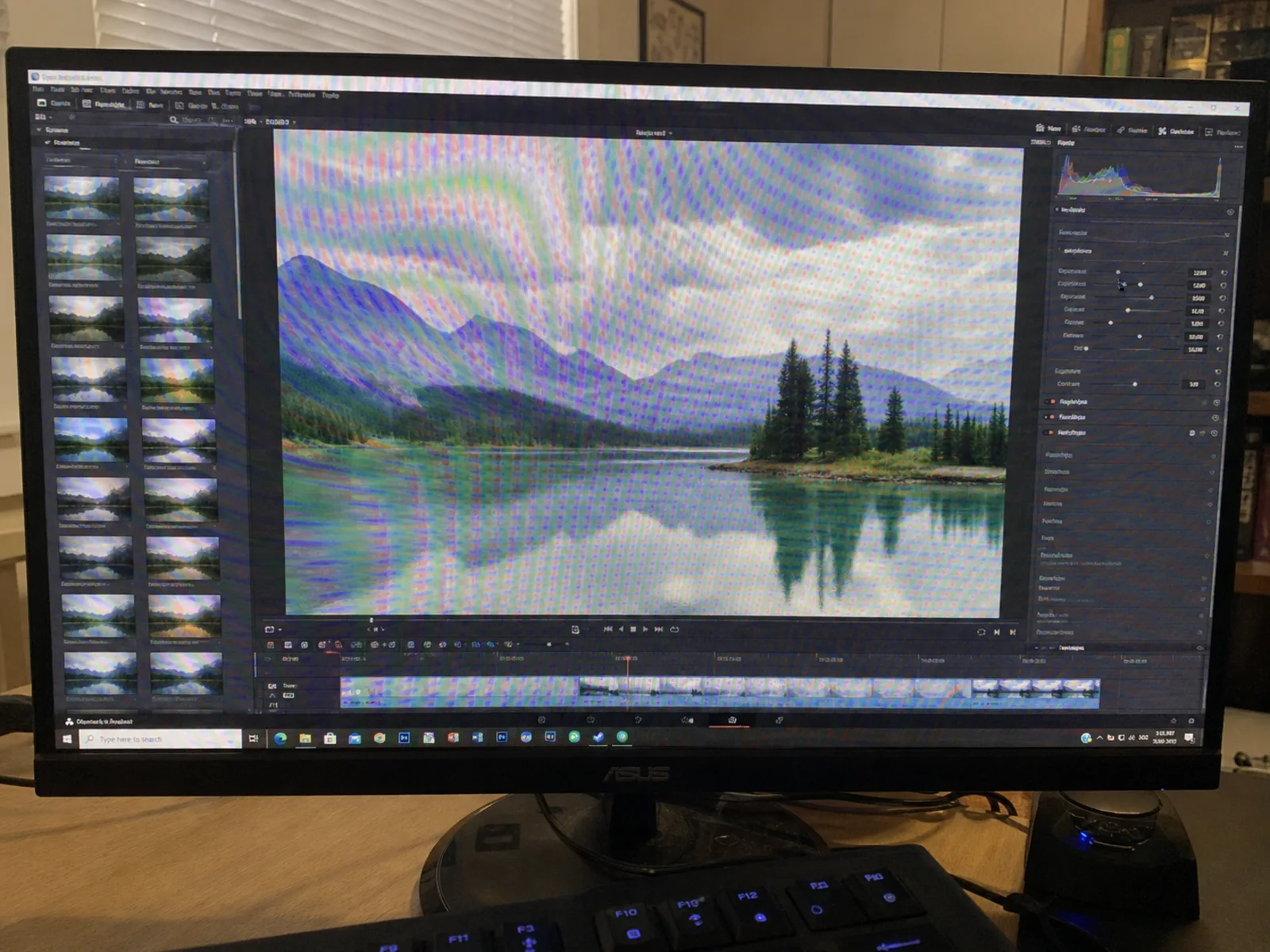
Before
After
Monitor Shot on a Phone
Rainbow interference from photographing a monitor with a smartphone, fully removed.
Remove moire patterns caused by your smartphone camera. Modern phone cameras with high-resolution sensors and no anti-aliasing filter are especially prone to moire when photographing screens, fabrics, buildings, and printed materials. Works with iPhone, Samsung Galaxy, and every Android phone — right in your browser.
Drop your photo here or click to upload
Supports JPG, PNG (Max 10MB)
Or try with a sample
Drag the slider to compare original phone shots with the AI-cleaned results.
Rainbow interference from photographing a monitor with a smartphone, fully removed.
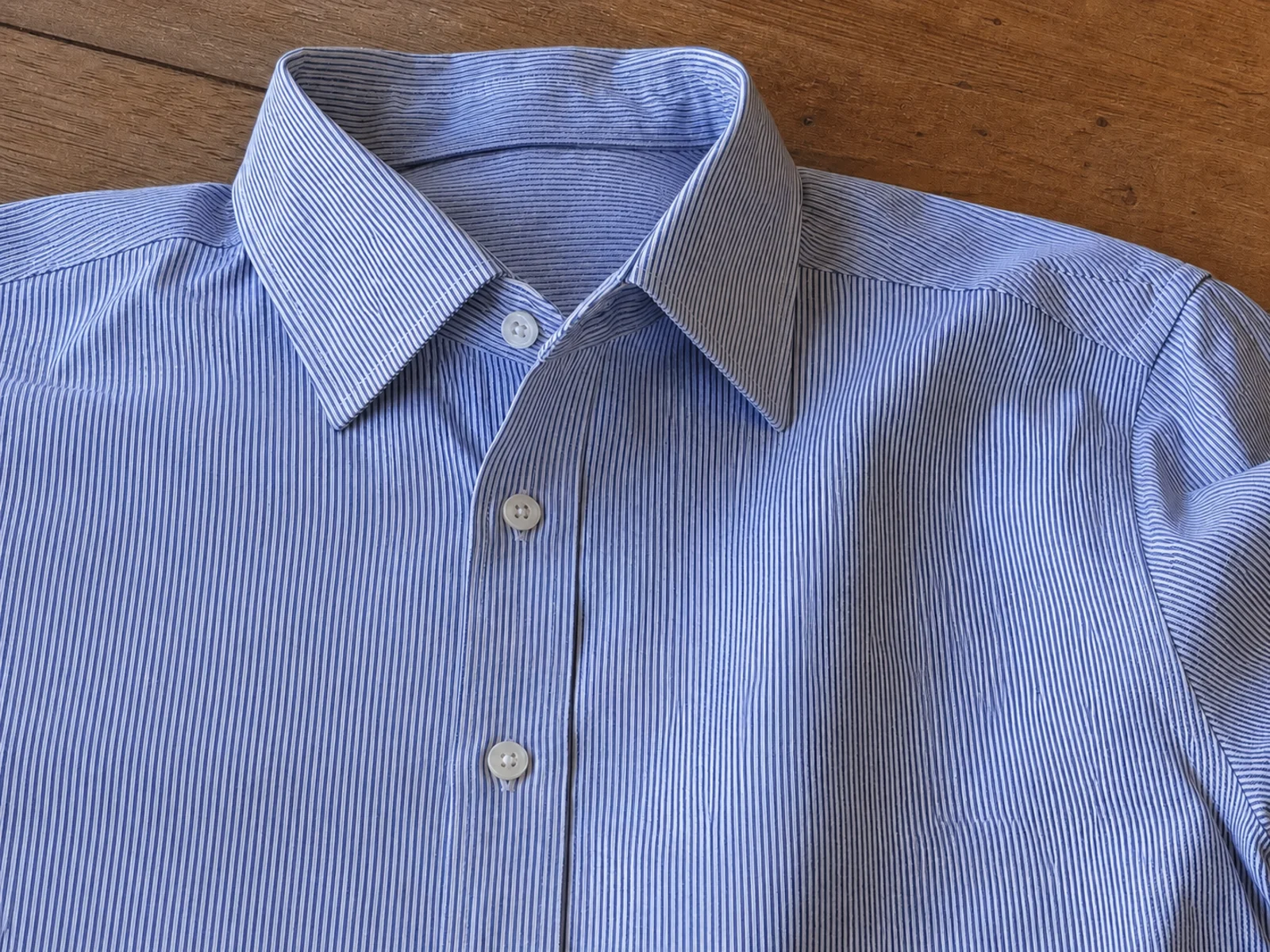
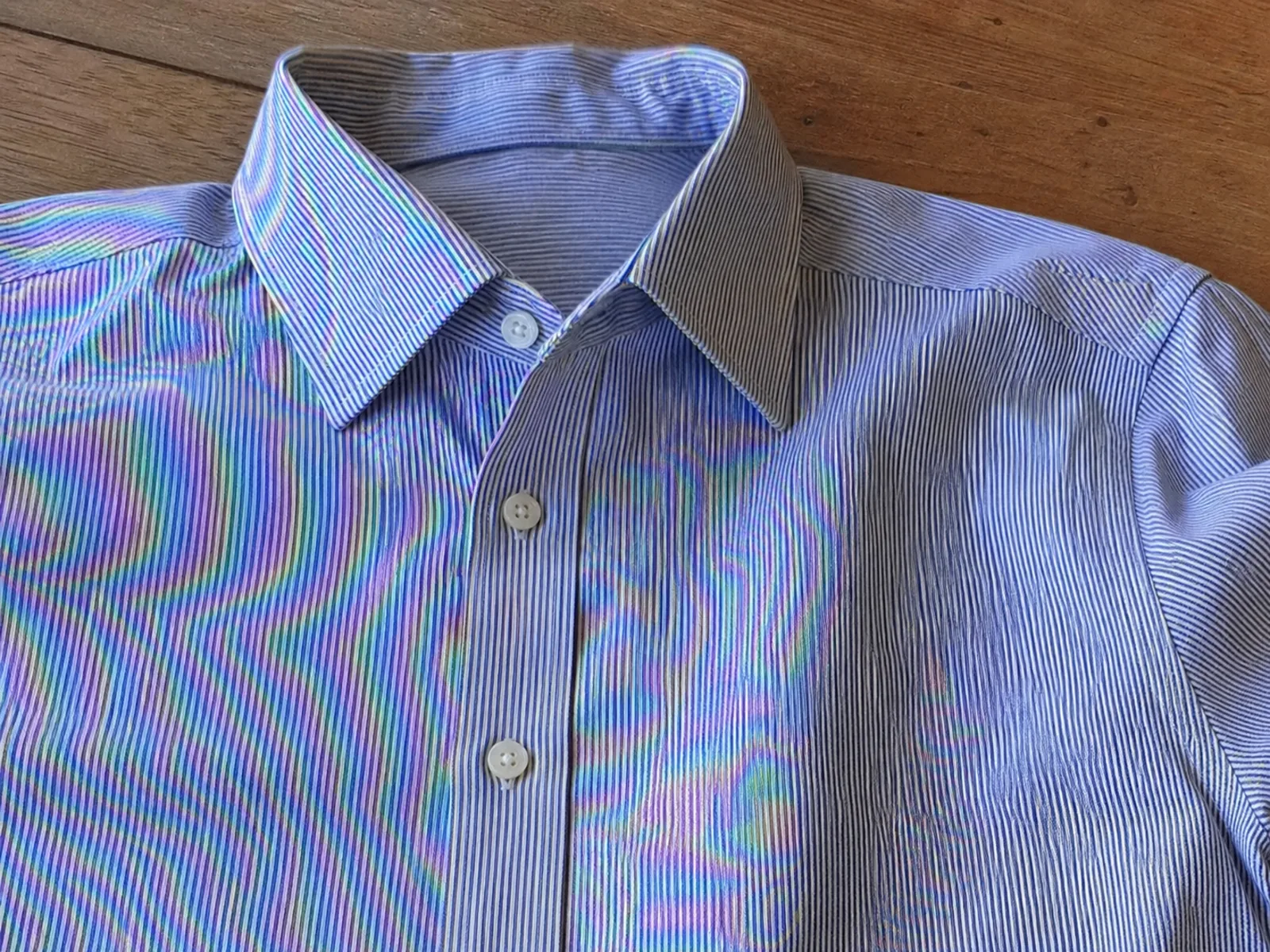
Wavy shimmer on a fine-weave shirt photographed with a phone camera, cleaned in one pass.


Photographing presentation slides or a projector screen with your phone creates grid moire — removed while the slide text stays legible.
Why phones get moire
Flagship phones actually show more moire than older cameras, not less. Four hardware and software reasons explain it.
Phone sensors skip the optical low-pass filter to squeeze out maximum sharpness — which is exactly the filter that used to suppress moire in DSLRs.
48MP to 200MP sensors resolve extremely fine grids like screen pixels and fabric weave, pushing them into the interference zone.
Computational photography boosts edges and micro-contrast, which amplifies faint moire into visible rainbow bands.
Quad-bayer sensors re-arrange pixels between full and binned modes; the remosaic step can add color artifacts on repetitive patterns.
High pixel density and no optical low-pass filter make phone cameras magnets for moire. Whatever you pointed yours at, the cleanup keeps the subject sharp and legible.
Rainbow bands gone from monitor and laptop shots.
Striped shirts and fine weaves, interference-free.
Facades, grilles, and fences without the shimmer.
Magazines, posters, and labels stay readable.
Meeting-room and classroom slides, cleaned up.
Live broadcasts and stadium screens, artifact-free.
Purpose-built AI for fixing moire patterns in smartphone photography across all shooting scenarios.
Our neural network is trained on thousands of smartphone photos to detect and remove moire patterns specific to mobile camera sensors without anti-aliasing filters.
No camera setting or editing app removes moire after the shot. A purpose-trained AI does.
Removes only the moire interference while keeping your photo's original sharpness, colors, and details intact.
Works with photos from iPhone, Samsung Galaxy, Google Pixel, OnePlus, Xiaomi, OPPO, and every other smartphone brand.
Supports up to 4K resolution output for professional-quality results from your mobile photos.
Get your moire-free phone photos back in seconds with our optimized AI processing pipeline.
Upload and process multiple phone photos at once. Perfect for product shoots, real estate walkthroughs, or travel photography sessions.
Works directly in your mobile or desktop browser. No app downloads or installations needed.
Your phone photos are processed securely and automatically deleted after processing. We never store or share your images.
Some phones ship their own cleanup features. Here is how they compare when a photo shows real moire interference.
| Method | Best for | Limitations |
|---|---|---|
| AI phone moire remover (this tool)Works everywhere | Any phone, any photo — screens, fabric, prints, architecture. Up to 4K output. | Needs a browser and an internet connection; free tier covers everyday use. |
| Samsung Galaxy remaster / ripple removal | Quick fixes on recent Galaxy models when the pattern is mild. | Only on newer Galaxy phones, works best on screen ripples, and softens fine detail on strong patterns. |
| iPhone Photos editing | Exposure, color, and sharpness adjustments. | iOS has no built-in moire removal — sharpening actually makes rainbow patterns more visible. |
| General retouch apps | Blemish removal and beauty filters. | Blur-based tools smear text and texture instead of separating the interference pattern. |
Fix moire in your mobile photos directly from your phone browser — no app install needed.
Works in Safari, Chrome, or any mobile browser — or transfer photos to your computer if you prefer a bigger screen.
Pick the photo with moire from your gallery. JPG, PNG, WebP, and HEIC exports are supported, up to 20MB.
The AI detects rainbow bands and wavy lines from screens, fabric, or prints and removes them while keeping detail.
Compare before and after, then download the cleaned photo straight back to your phone.
Shooting tips
A few capture habits reduce how much moire lands in your photos in the first place — the AI handles whatever remains.
Optical zoom changes the scale between the subject's pattern and the sensor grid, often shifting the moire out of the visible range.
Distance is the easiest variable to change. Back up, let the pattern shrink on the sensor, and crop later if needed.
Tilt the phone a few degrees when shooting screens or grilles so the grids stop lining up perfectly.
Extra sharpening and HDR processing amplify faint interference. Shoot in standard photo mode for patterned subjects.
Common questions about removing moire patterns from smartphone photos.
Modern smartphones use high-resolution sensors without optical low-pass (anti-aliasing) filters to maximize sharpness. While this delivers crisp photos in most situations, it makes the camera more susceptible to moire when photographing subjects with fine, repetitive patterns like screens, fabrics, or architectural details.
Recent Galaxy models include a remaster feature in the Gallery app that can reduce screen ripples on mild cases. When the pattern is strong, covers fabric or print, or you are on an older Galaxy, upload the photo here instead — our AI handles all moire types on any Samsung phone, no app required.
iOS has no built-in moire removal, and the Photos app's sharpening tools tend to make rainbow patterns worse. Open this page in Safari, upload the photo from your camera roll, and download the cleaned version back to your phone — the whole process takes under a minute.
Most modern high-resolution phones can produce moire, including iPhone 12 and newer, Samsung Galaxy S21 and newer, Google Pixel 6 and newer, OnePlus, Xiaomi, and OPPO flagships. The higher the megapixel count, the more likely moire can appear when shooting fine patterns.
You can reduce moire by changing your shooting angle slightly, moving closer or further from the subject, using optical zoom to alter the sensor-to-subject alignment, and avoiding perfectly perpendicular shots of patterned surfaces. If moire still appears, our AI tool can remove it in seconds.
Yes! Simply upload any photo from your camera roll or gallery. The tool works with JPEG, PNG, WebP, and HEIC formats. You can upload directly from your phone browser without needing any app.
No. Our AI is trained to distinguish between moire interference and legitimate photo details. It precisely targets and removes only the artificial patterns while preserving the actual textures, colors, and sharpness of your original photo. If your phone shot also has window reflections or light glare, our remove glare from photo tool handles those separately.
The Screen Moire Remover is specifically optimized for photos of digital displays (monitors, TVs, phone screens). This Phone Moire Remover covers all scenarios where your smartphone camera creates moire, including clothing, architecture, printed materials, and screens. If you only photograph screens, the Screen Moire Remover may give you more targeted results.
Absolutely! The tool supports up to 4K resolution and maintains professional-grade quality. It's ideal for mobile product photography, social media content creation, real estate listings, fashion blogging, and any workflow where phone photos need to look their best.
Most phone photos are processed in 10-20 seconds depending on image size and selected output resolution. You can also batch-process multiple photos simultaneously to save time.
Remove moire patterns from your smartphone photos in seconds with AI-powered processing — free to start, no app needed.